

Plans and features
This page applies to accounts that are paid through Stripe: accounts that were opened in actaSIGN by the customer, and accounts that actaSIGN has given a fixed plan.
The plans
Section titled “The plans”| Plan | People | Tenants | Signatures per year |
|---|---|---|---|
| Mini | up to 3 | 1 | 400 SES/AES, 50 QES |
| Pro | up to 6 | 1 | 800 SES/AES, 100 QES |
| Team | up to 15 | 3 | 1000 SES/AES, 500 QES |
| Business | up to 50 | 10 | 3000 SES/AES, 1000 QES |
| Trial (14 days, starts with a card) | up to 3 | 1 | at most 5 QES, no QES identification |
As of actaSIGN 3.106. The details and prices on actasign.swiss are binding. Every plan is available monthly or yearly.
- Persons and Tenants (as the usage shows them) are counted across the whole account. Every member counts as a person, invited ones too, except blocked ones. If you invite more people or create more tenants than the plan allows, actaSIGN refuses.
- Signatures above the included quota do not lock anything. They are billed separately later. Only in the trial does it stop at 5 QES.
Which feature needs which plan
Section titled “Which feature needs which plan”All signature types, process templates, deputies and absences are part of every plan. These features need a larger plan:
| Feature | Section in the administration | from plan |
|---|---|---|
| Several tenants | Account → Add tenant | Team |
| AI assistance | AI | Team |
| REST API & webhooks | Applications, Webhooks | Team |
| SSO / OpenID Connect | Microsoft 365 / Google | Team |
| Notification channels | Channels | Team |
| Own actaBOX | actaBOX | Team |
| System information | System information | Team |
| Sessions | Sessions | Team |
| Teams | Teams | Team |
| Form templates and mass send | Templates → Form templates, see Create a form template, Mass send | Team |
| Serial documents (a template’s own values) | Data tab in Studio, see Serial documents | Team |
| Workflow data and conditions (Only when …) | Workflow step, see Task only when needed | Team |
| Request types | Request types | Team |
| IP whitelisting | IP whitelist | Business |
| Seals | Seals | Business |
| Signing authority rules (experimental) | Signing authority rules | Business |
During the trial, the features of the Mini plan apply. Without the REST API, actaSIGN also refuses requests that your own system sends through the interface.
What a locked section looks like
Section titled “What a locked section looks like”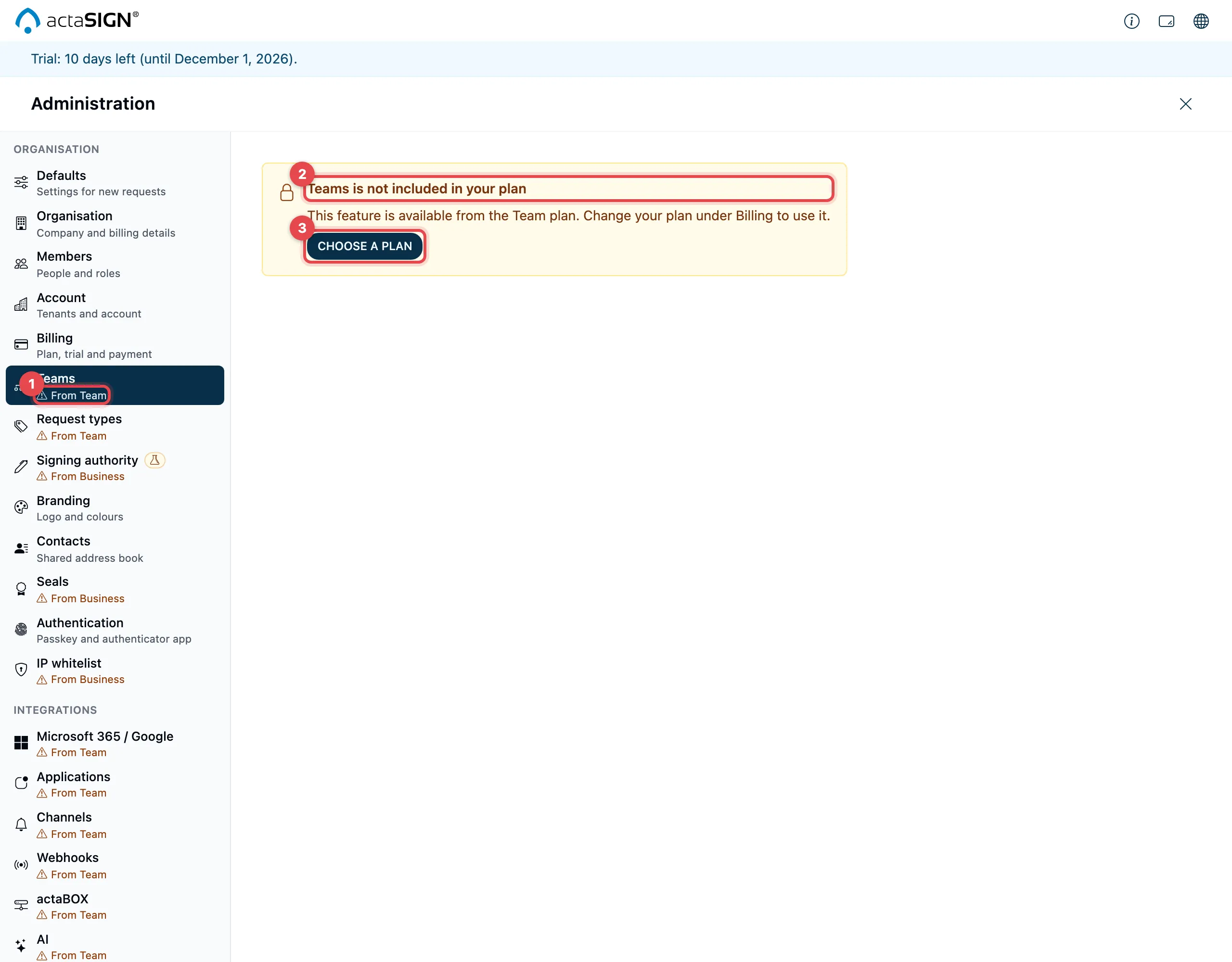
- In the left bar, every section that your plan does not include shows, instead of the short description, from which plan it is available, e.g. “From Team”.
- If you open such a section, it says e.g. “Teams is not included in your plan” and “This feature is available from the Team plan”.
- Choose a plan takes you to Billing.
Form templates are not a section of the administration. If your plan does not include them, the Form templates tab under Templates shows “Form templates and mass send is not included in your plan”. In the Workflow step, Workflow data and Only when … are then missing, and the arrow next to Start on the home page is missing. Process templates remain.
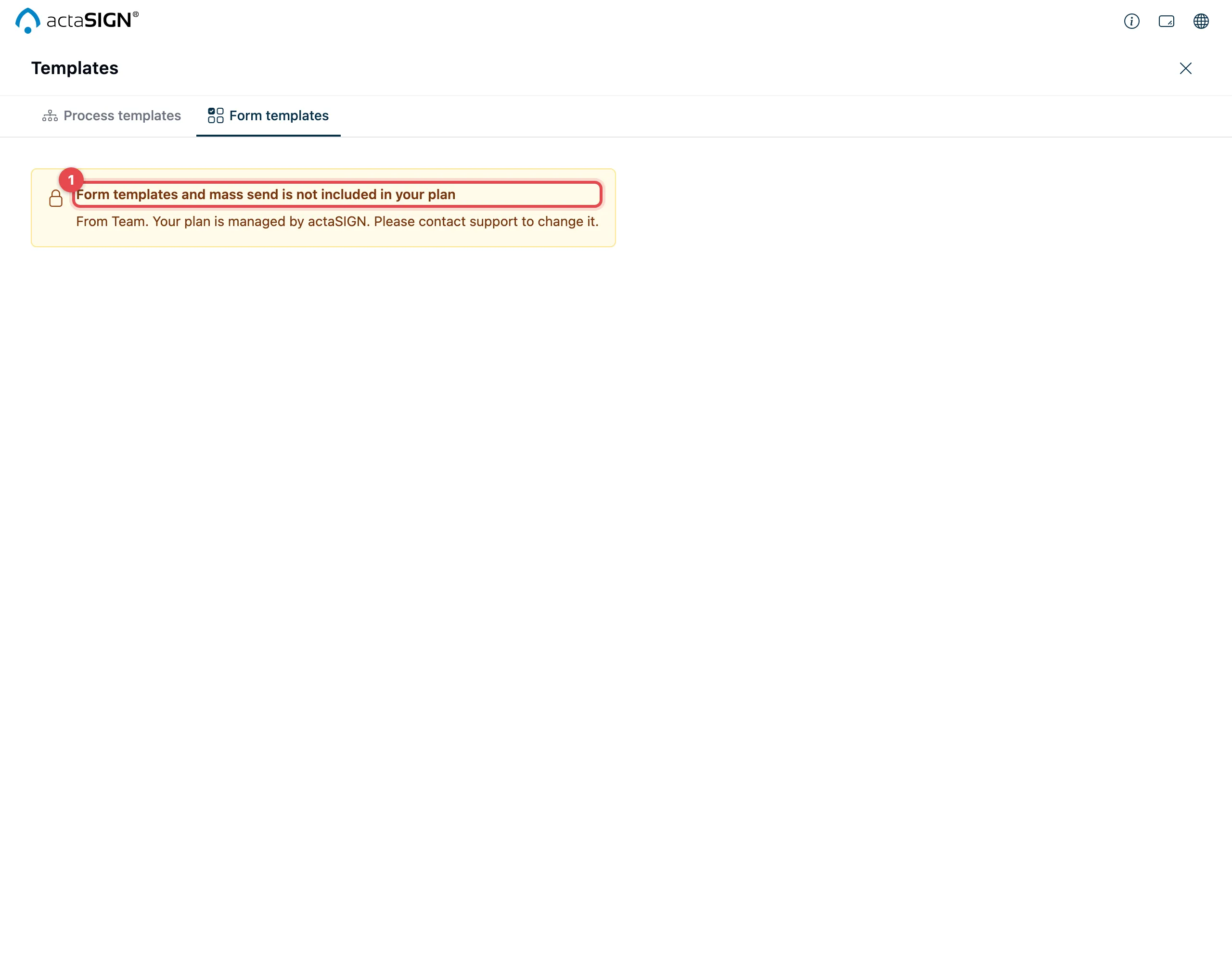
If actaSIGN has given your account a fixed plan, Choose a plan is missing. Instead it says “Your plan is managed by actaSIGN. Please contact support to change it.”
When a request does not start
Section titled “When a request does not start”If a request cannot be started because of billing, sending shows Sending failed. The request stays under Prepared. The dialog gives the reason:
| Message | Meaning | What to do |
|---|---|---|
| “The trial has ended or a payment is open. …” | On a new account no card has been added yet, or a payment is missing, or the plan was cancelled, or an older trial without a card is over. | An administrator adds a card under Billing, chooses a plan or sorts out the payment. |
| “The 5 qualified signatures (QES) of the trial are used up. …” | The request contains a QES task, and the trial has used up its 5 QES. | Choose a plan, or send the request without QES. |
Then start the request again under Prepared with Perform. See Send the request.
What a lock does not affect:
- Everyone can still sign in and see their documents.
- Requests that were already sent keep running. Recipients can sign.
- All data is kept.