

Analyse usage
Under Usage you see how many signatures your organization created in a period, by whom and at which trust level, and how long completed requests took. You can export both as an Excel file.
Signatures
Section titled “Signatures”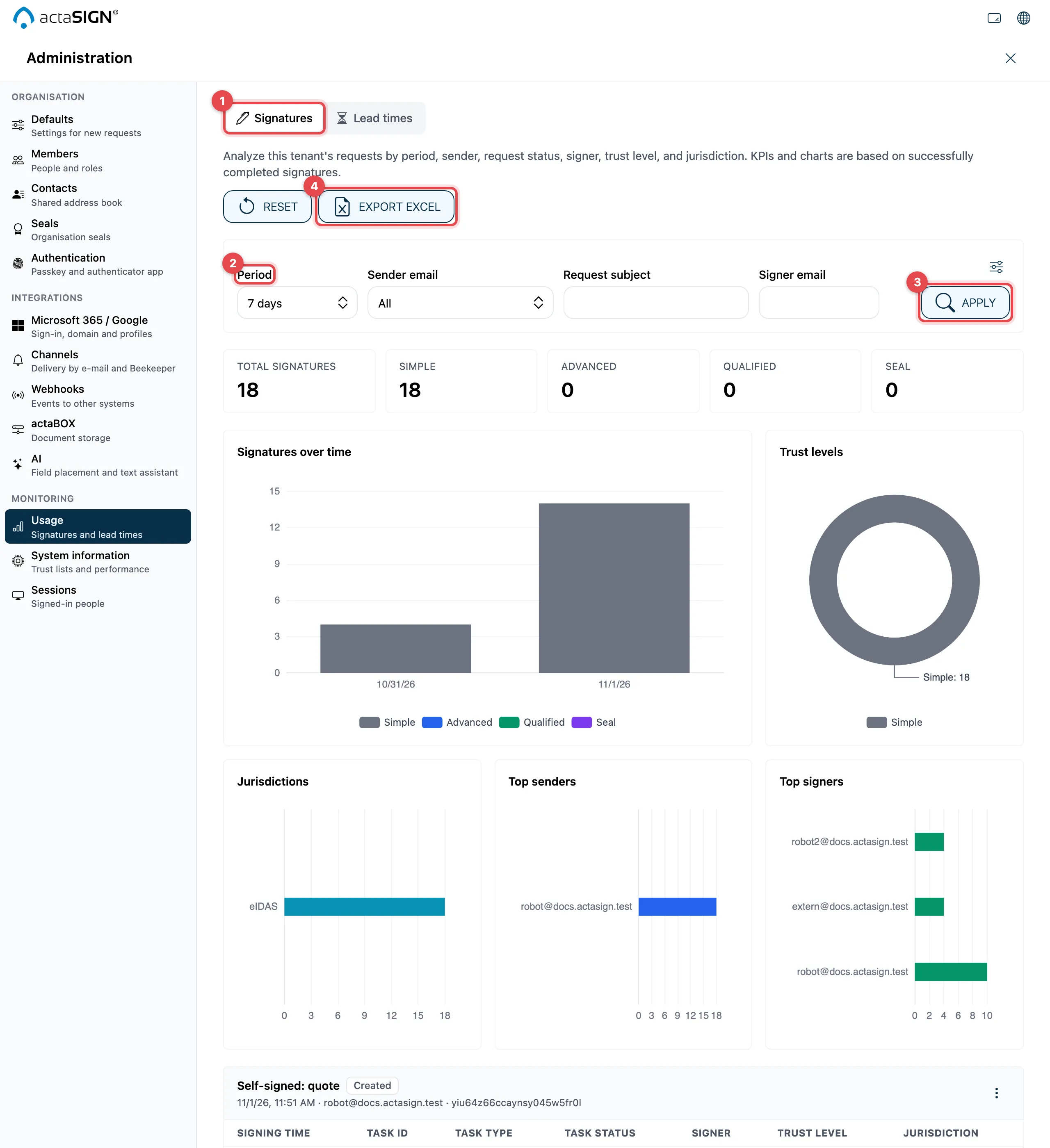
- At the top, choose the Signatures view.
- Choose the Period (1 to 90 days or Custom with From and To) and more filters: Sender email, Request subject, Signer email, Trust level, Jurisdiction, Request status and Task status.
- Click Apply. Reset clears the filters.
- Export Excel downloads the filtered list.
Below this you see Total signatures, the charts Signatures over time, Trust levels, Jurisdictions, Top senders and Top signers, and the list of all signatures. Only successfully completed signatures are counted.
Lead times
Section titled “Lead times”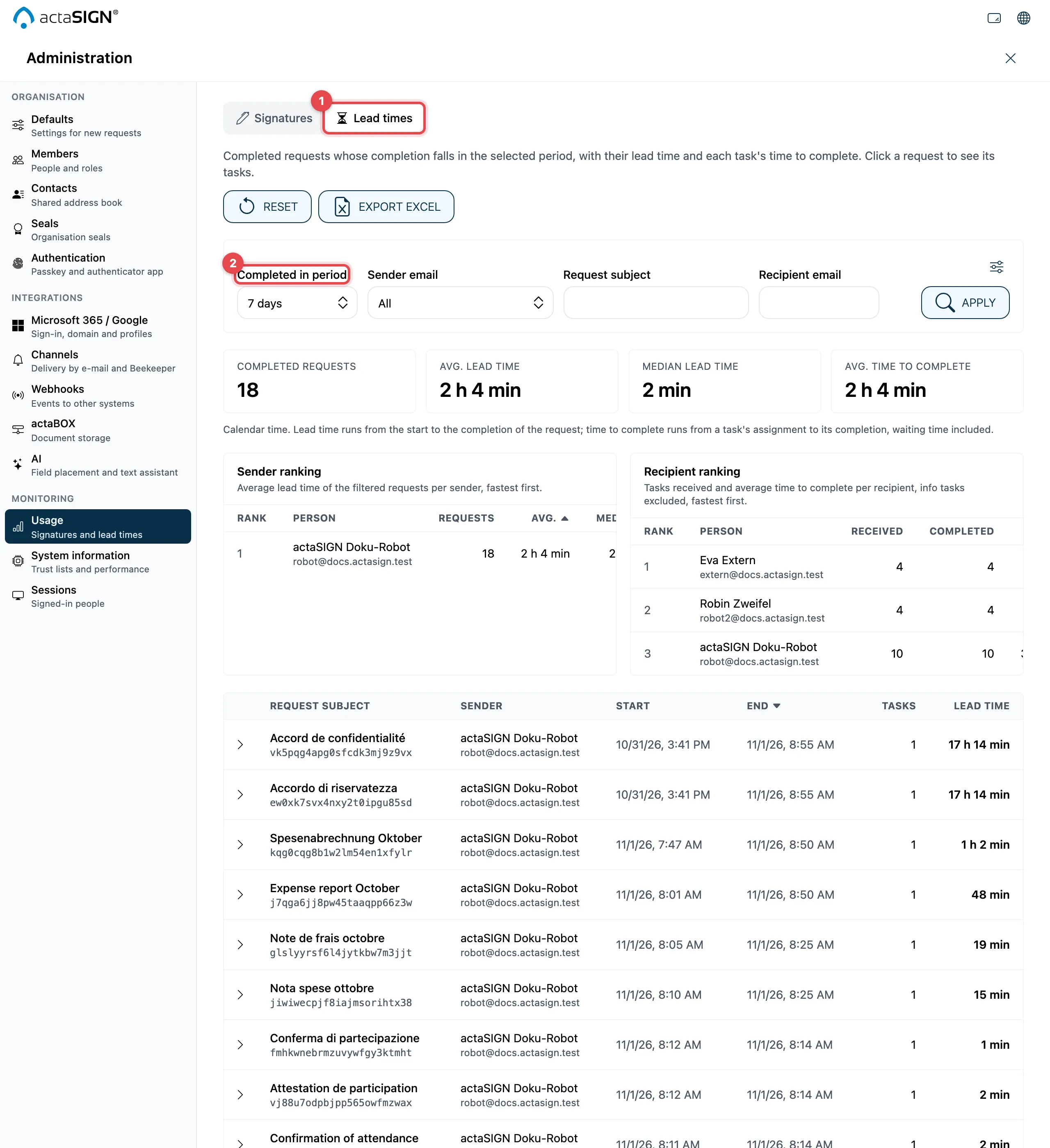
- Choose the Lead times view.
- Filter with Completed in period, Sender email, Recipient email and Request subject.
You see Completed requests, Avg. lead time, Median lead time and Avg. time to complete, plus the Sender ranking and the Recipient ranking (fastest first). Click a request to see its tasks with their time to complete.
Good to know
Section titled “Good to know”- The lead time measures from the start to the completion of a request, the time to complete is measured per task. Info tasks do not count for recipients.
- At most the newest completed requests are analysed; actaSIGN points this out. In that case, narrow down the period.