

Export form data
What recipients enter in the fields of a form template can be downloaded in one file, for example to process it further in Excel.
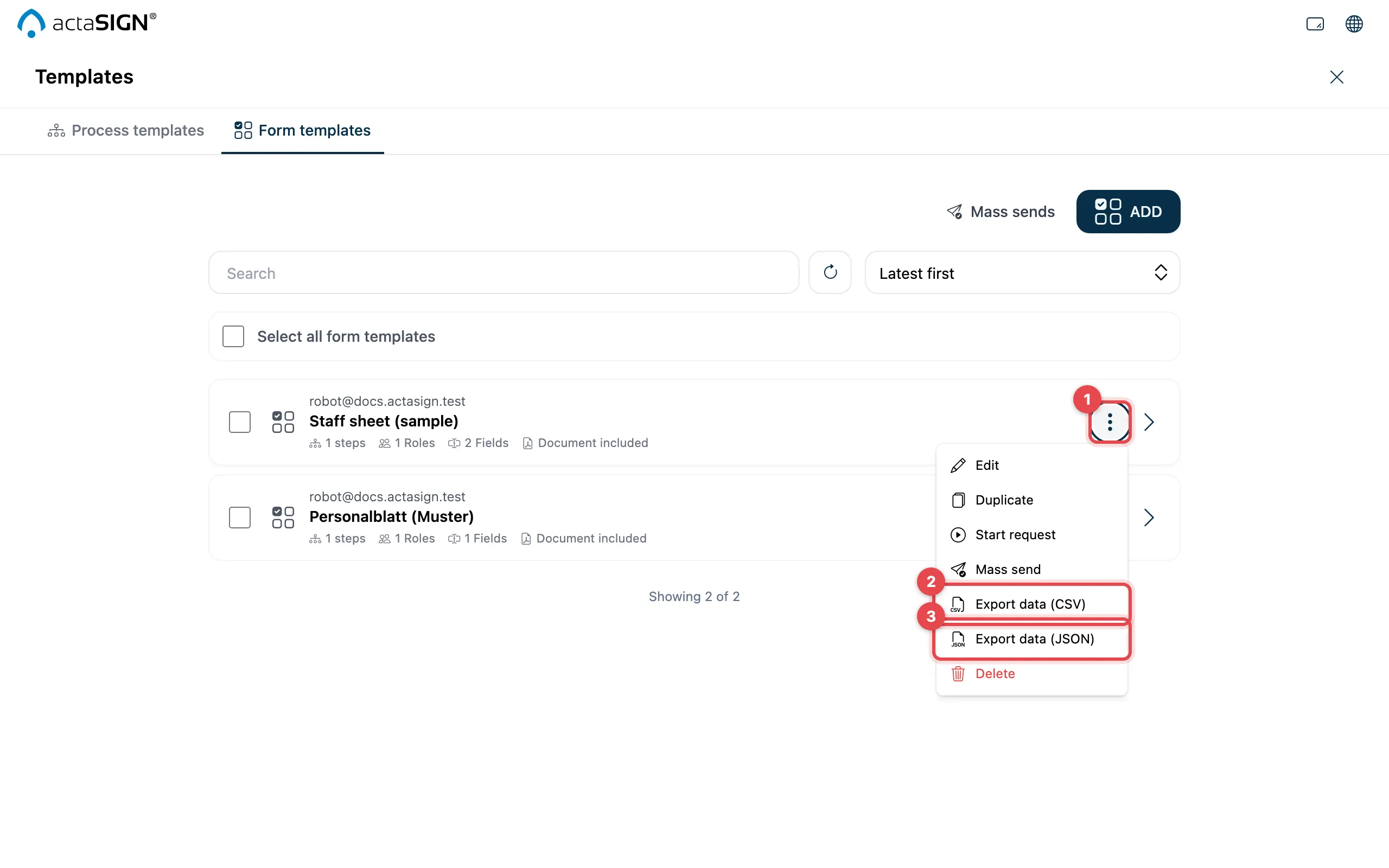
- In the row of the form template, click More actions.
- Export data (CSV): a table for Excel and similar programs.
- Export data (JSON): for further processing in other programs.
The file goes to your browser’s download folder.
What the file contains
Section titled “What the file contains”- One row per request started from this form template.
- First, fixed columns: ID, subject, status, created, started, completed.
- Then one column per field. The column is named after the field’s Data name (see Set up fields).
Good to know
Section titled “Good to know”- You only see requests you are allowed to read yourself (as sender or observer).
- At most 5000 requests per export. If there are more, actaSIGN reports “Not every request was exported”.
- In the CSV file, the columns are separated by commas in English (by semicolons in German).
- Give the fields meaningful data names before you use the template. Otherwise the columns are hard to read.