

Manage tenants
A tenant is an organization in actaSIGN with its own members and settings. Here you create new tenants and decide, for example, whether members need a second factor.
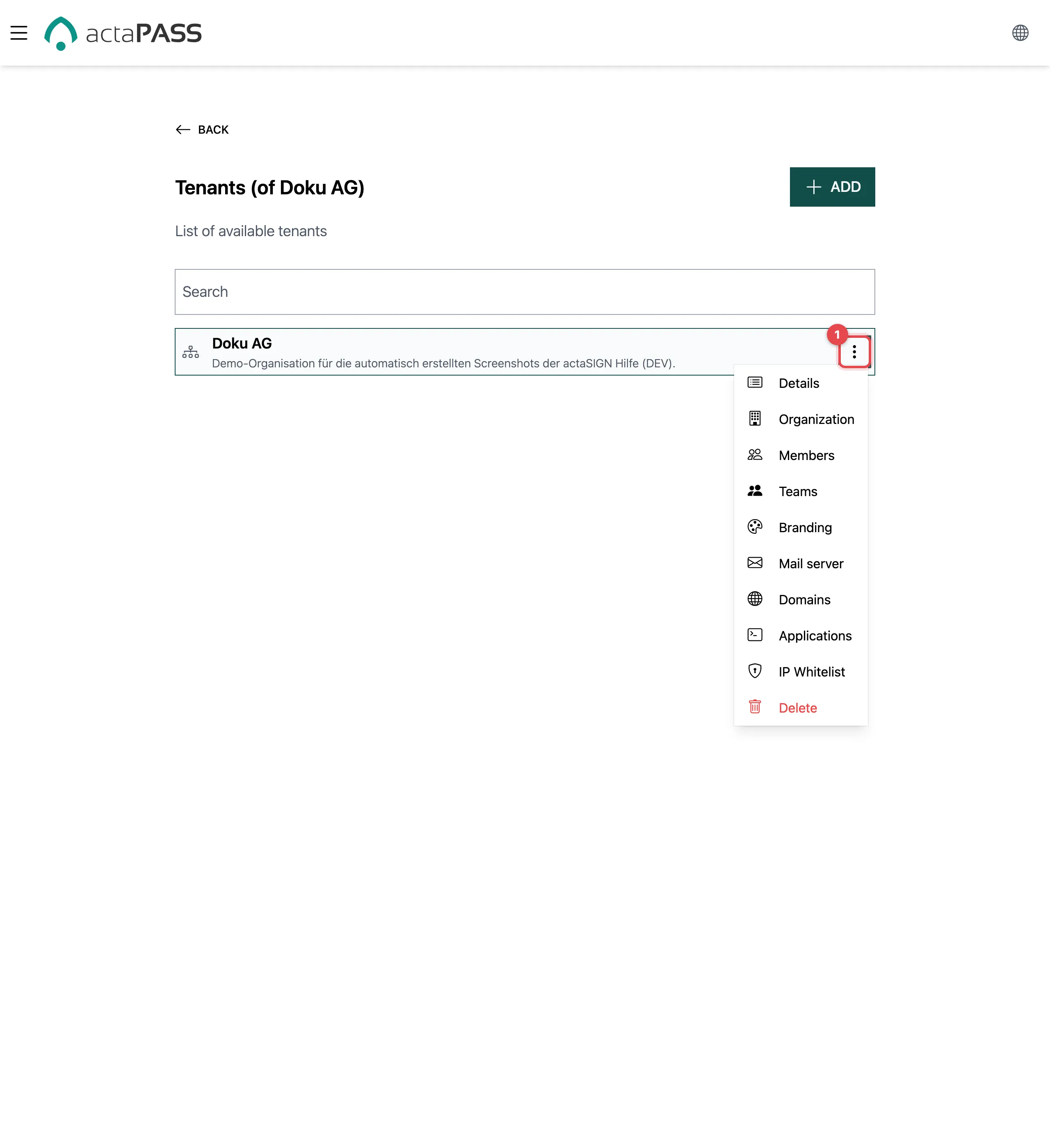
The ⋮ menu of a tenant (1) leads to everything that belongs to it: Details, Organization, Members, Teams, Branding, Mail server, Domains, Applications, IP Whitelist and Delete.
Create a tenant
Section titled “Create a tenant”- Above the list, click Add.
- Enter a Name (at least 4 characters) and optionally a Description.
- Set the switches (see below) and click Save.
Details of a tenant
Section titled “Details of a tenant”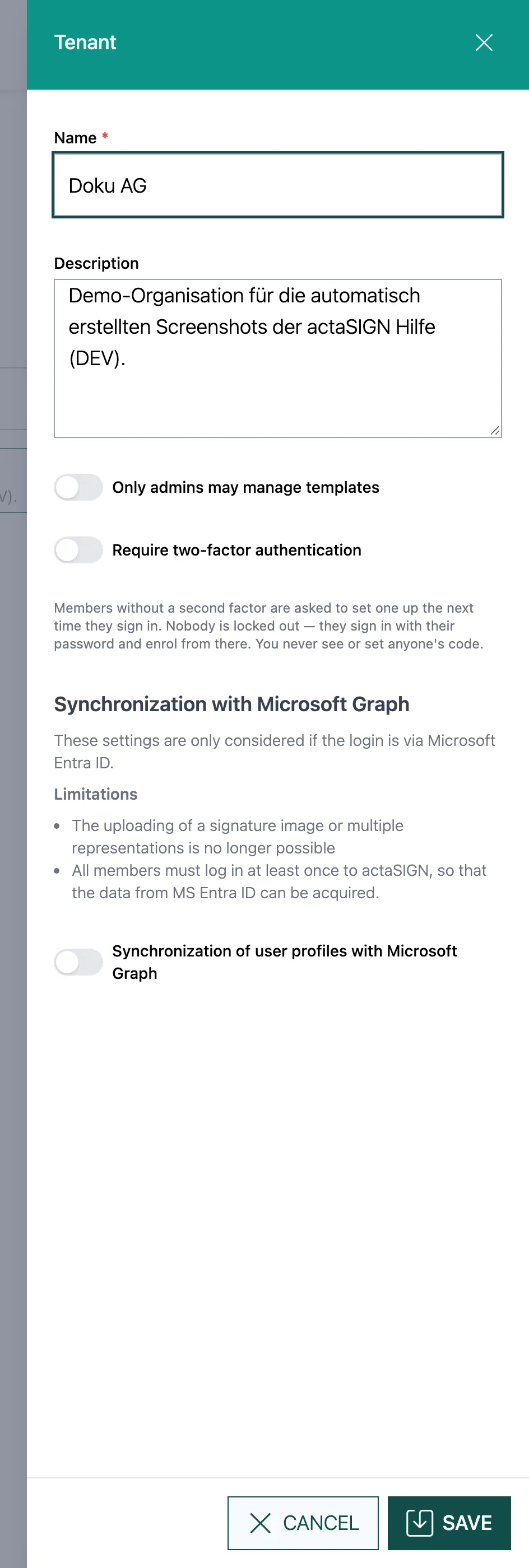
Open ⋮ → Details, change the values and click Save.
| Setting | What it does | Default |
|---|---|---|
| Name | Name of the organization as members see it | – |
| Description | Free text, only for administrators | empty |
| Only admins may manage templates | Only administrators of the tenant manage templates | off |
| Require two-factor authentication | Members without a second factor must set one up at their next sign-in. Nobody is locked out: they sign in with their existing password and set up the factor afterwards. | off |
| Synchronization of user profiles with Microsoft Graph | Takes profile data from Microsoft when sign-in is through Microsoft Entra ID. Below it: Disable call of user profile, Synchronization at each login and Signature representation. | off |
Good to know
Section titled “Good to know”- Only admins may manage templates matches the actaSIGN switch Restrict template access to administrators (Defaults).
- You never see or set another person’s second factor.