

Change your name, language and time zone
Under Person you find your name as it appears in signatures, your language and your time zone.
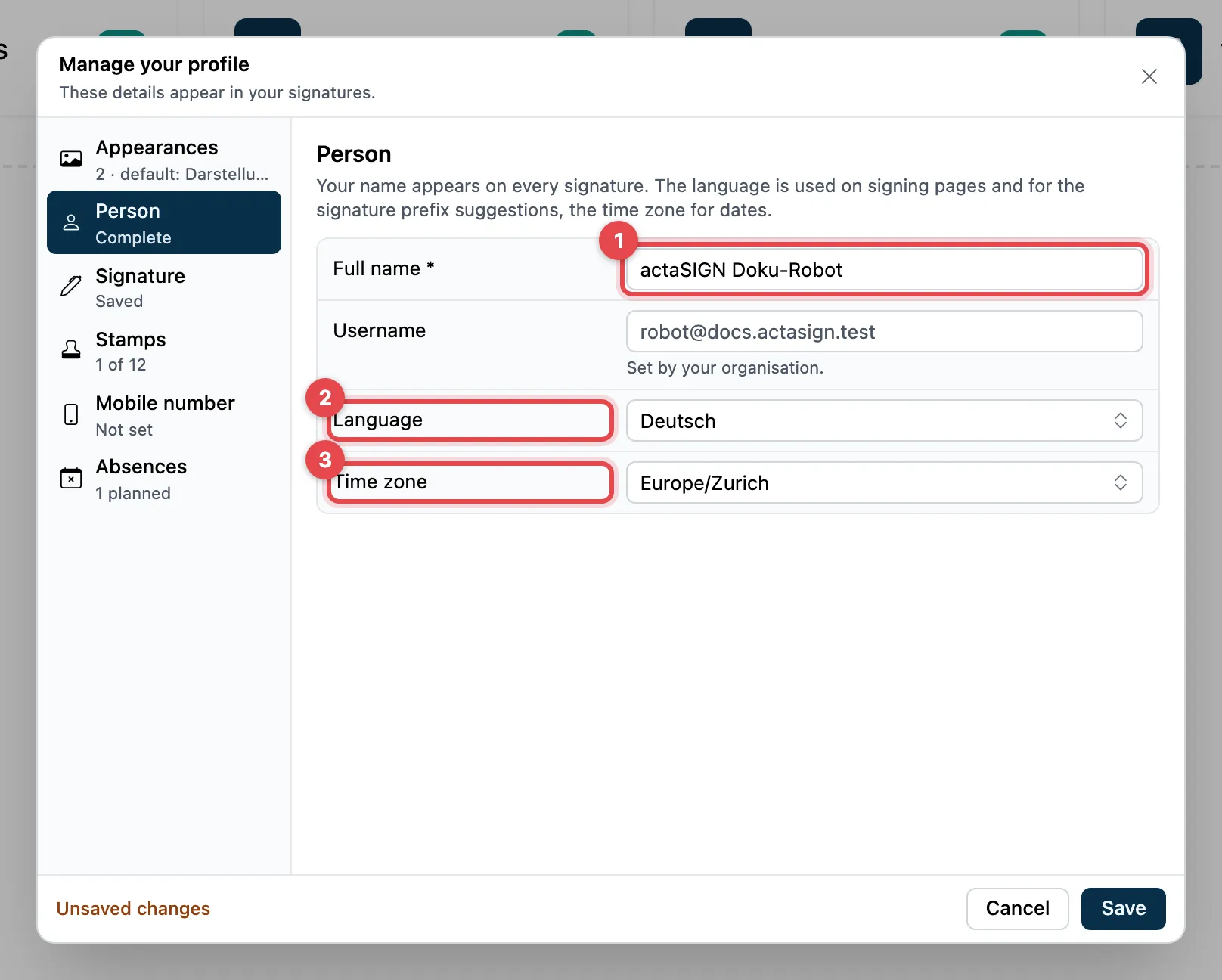
- Full name: this is how your name appears in signatures. Required, at least 4 characters.
- Language: Deutsch, English, Français or Italiano.
- Time zone: for the date and time in your signatures.
- Click Save at the bottom.
Your organization sets the Username field; you cannot change it.
Language of the interface
Section titled “Language of the interface”You choose the language of menus and buttons at the top right with the globe (Language). This setting only applies to the browser in which you choose it. There you also find Toolbar size and, with Studio, Appearance (light or dark). See Language and display.
Good to know
Section titled “Good to know”- If your name is missing, Name missing shows on the left under Person, and you cannot save the profile.
- You do not change your e-mail address here. It belongs to your actaPASS account and is managed by your organization.