With these defaults you decide for the whole organization how often
recipients are reminded of open tasks, when completed requests are archived
and when actaSIGN deletes the documents.
The values apply to new templates and new requests. Existing templates and
saved requests do not change. If a request is started from a template, the
template’s values always apply.
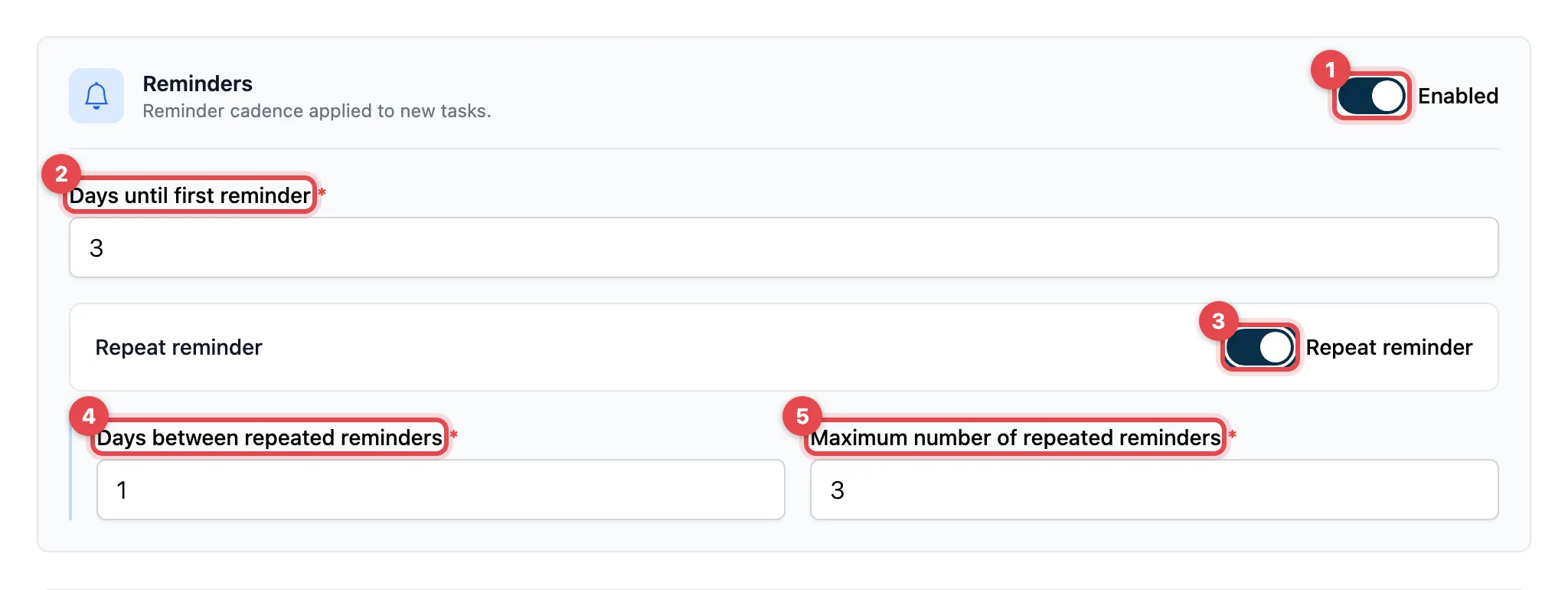
- Switch on Enabled so that actaSIGN sends reminders.
- Days until first reminder: this many days after the task is delivered,
the first reminder is sent (at least 1).
- Optional: switch on Repeat reminder.
- Days between repeated reminders: the interval between the further
reminders.
- Maximum number of repeated reminders: after that, actaSIGN stops
reminding.
- Click Save at the bottom of the page.
| Setting |
What it does |
Default |
| Enabled |
Reminds recipients of open tasks |
on |
| Days until first reminder |
Waiting time until the first reminder |
3 |
| Repeat reminder |
More reminders after the first one |
off |
| Days between repeated reminders |
Interval of the further reminders |
1 |
| Maximum number of repeated reminders |
Upper limit of the further reminders |
3 |
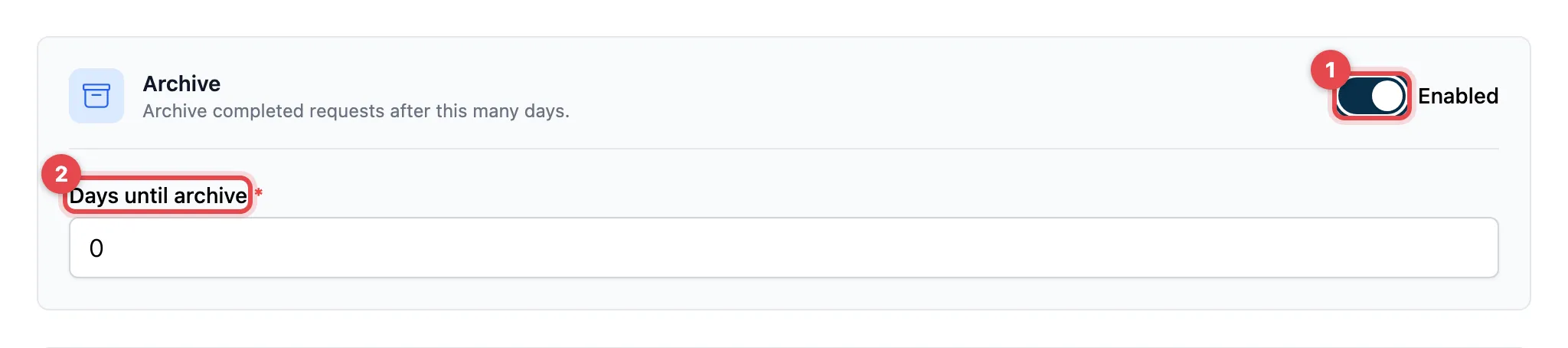
- Switch on Enabled.
- Days until archive: this many days after completion, actaSIGN moves a
request to the archive (0 to 3650; 0 means right away).
| Setting |
What it does |
Default |
| Enabled |
Archives completed requests automatically |
off |
| Days until archive |
Waiting time after completion |
0 |
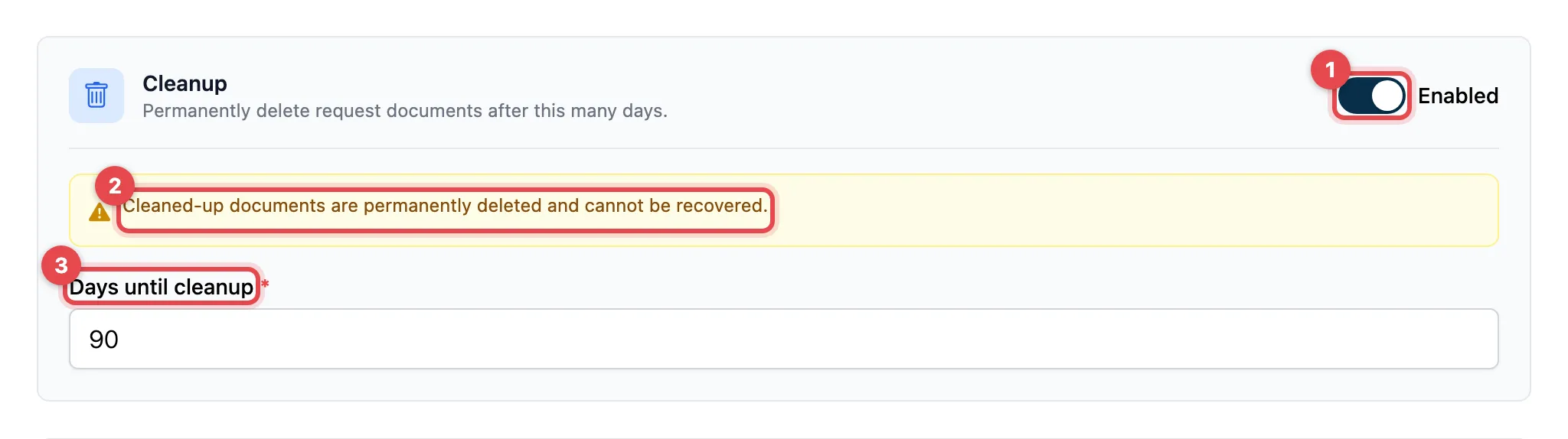
- Enabled switches on the cleanup.
- Read the notice: Cleaned-up documents are permanently deleted and
cannot be recovered.
- Days until cleanup: this many days after completion, actaSIGN deletes
the documents of a request (at least 1).
| Setting |
What it does |
Default |
| Enabled |
Deletes the documents of completed requests automatically |
on |
| Days until cleanup |
Waiting time after completion |
90 |
- If someone invites other people in the composer, the
Subject & Settings step shows these values as a short summary, for
example “Reminder after 3 days (once)”. Under
Show advanced settings the sender can change them for this one
request, see
Advanced settings.
You set fixed values for recurring processes in a
process template.
- The default values in the tables apply as long as nobody has saved the
defaults.
- If you leave the page without saving, actaSIGN asks
(Unsaved changes).

