

Add a stamp
Store your company stamp as an image. When you sign, you choose it with Select stamp and place it on the document.
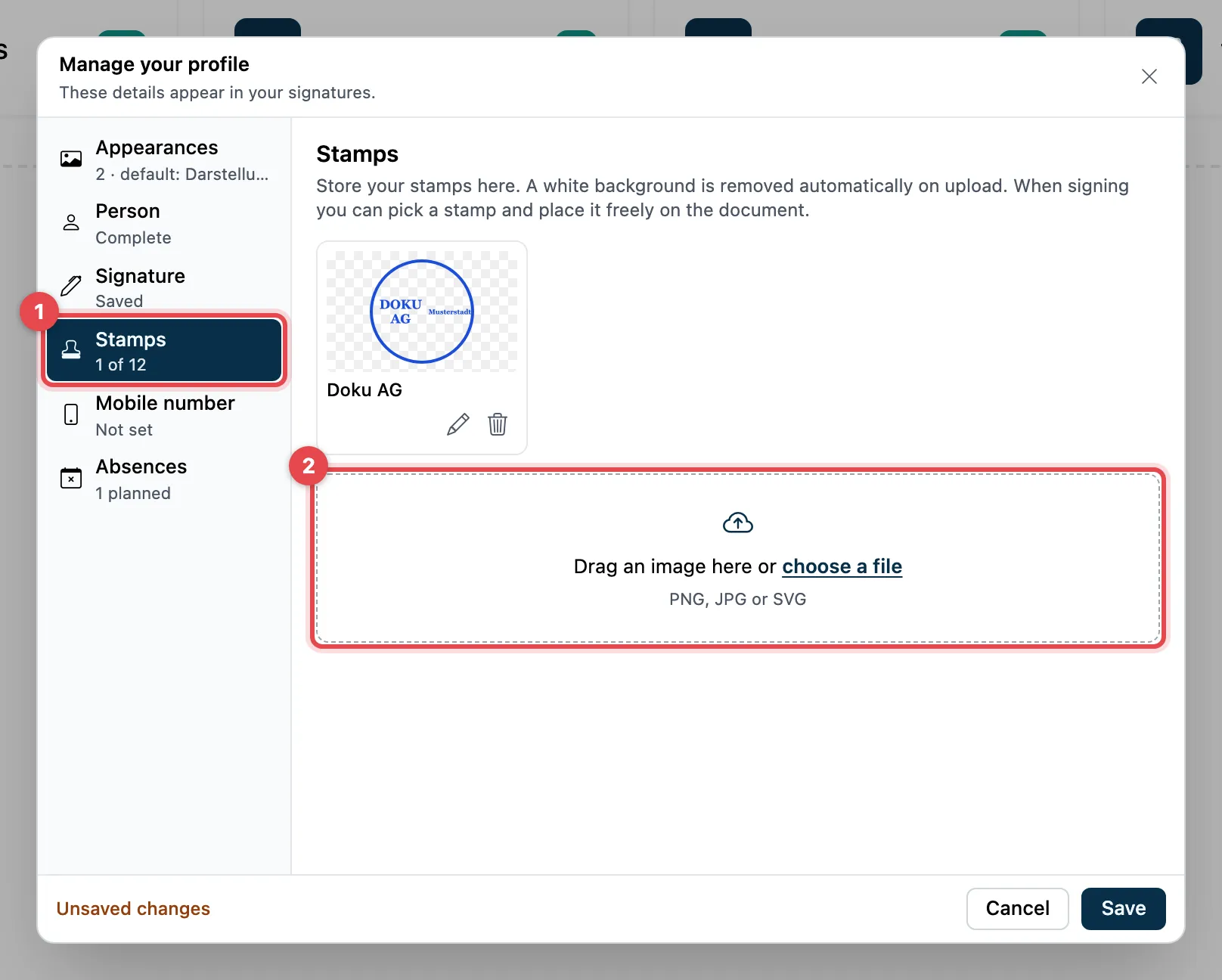
- On the left, choose Stamps.
- Drag an image into the field, or click it to choose a file (PNG, JPG or SVG).
- Original and Without background appear. Leave Remove white background ticked if the stamp was scanned on white paper.
- Under Name, enter a name and click Add.
- Click Save at the bottom.
Good to know
Section titled “Good to know”- At most 12 stamps. A file can be up to 20 MB, the finished image at most about 500 KB. Otherwise actaSIGN reports that the image is too large.
- With the pencil (Edit) you change the name; with the bin (Delete) you remove a stamp right away, without a question. It is only saved after Save.
- On the left, under Stamps, you see how many stamps you already have.