

Change your password or second factor
Even if you know your password, you change it through a link sent by email. This way, nobody at your unlocked computer can change your password.
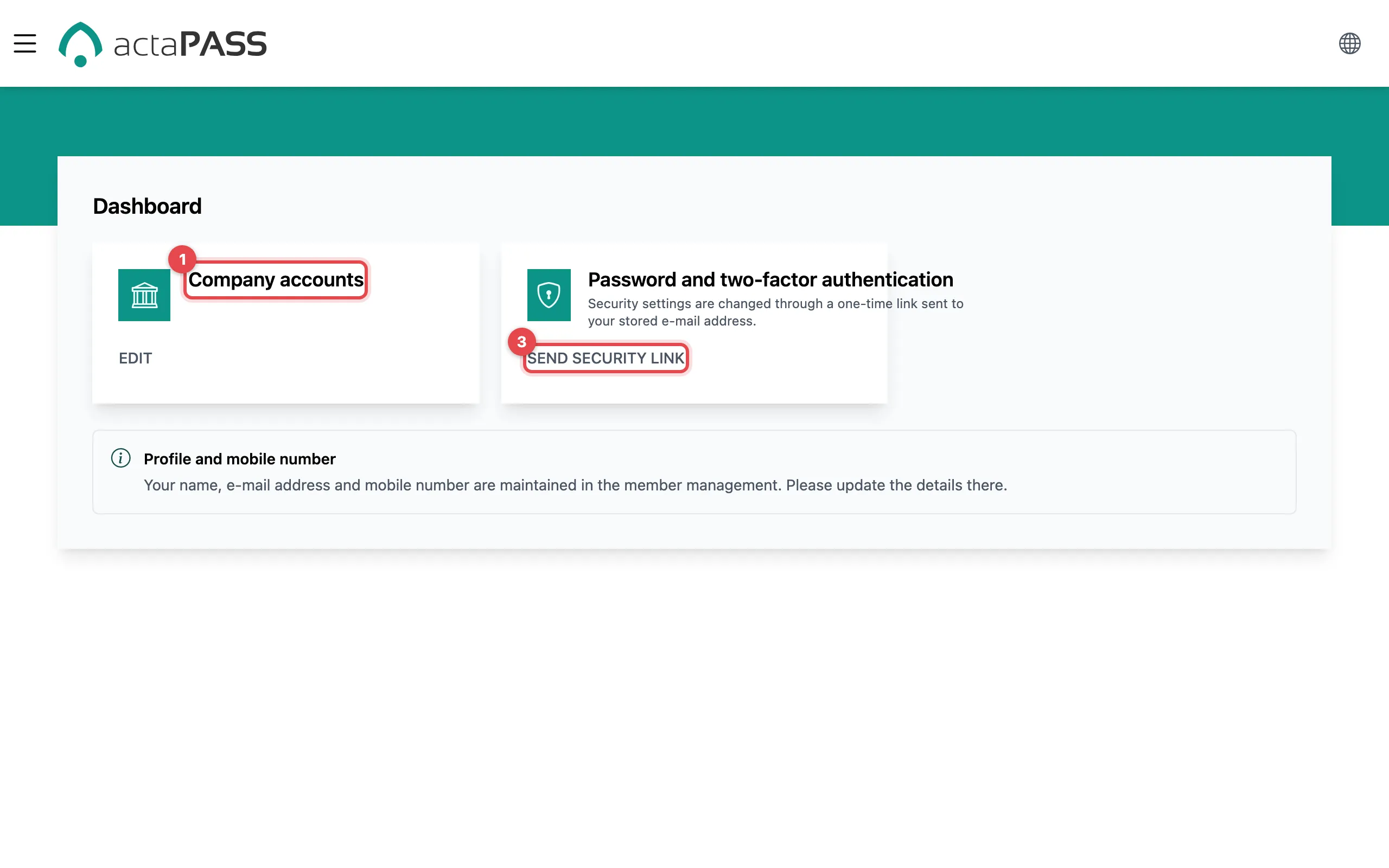
- Sign in to actaPASS. You see the home page with tiles. Only administrators see the Company accounts tile.
- The New tenants tile only appears if you were added to new organizations (see Confirm new organizations). That is why it is missing from the picture.
- On Password and two-factor authentication, click Send security link. Sign-in security appears with a note that an email is on its way.
Open the email and click “Reset Password”. Then continue as when you reset: choose your new sign-in security, set your password, done.
Good to know
Section titled “Good to know”- The link is valid for one hour and only once.
- The email goes to the address of your account. Your organization manages your name, email address and mobile number in the member management.
- Only want to replace the authenticator app? You can also do that directly on the Security page.