

Create an account
To send requests or sign yourself, you need an actaPASS account. actaPASS is the sign-in service for actaSIGN. Signing up takes about three minutes.
Start signing up
Section titled “Start signing up”Open my.actasign.ch in your browser.
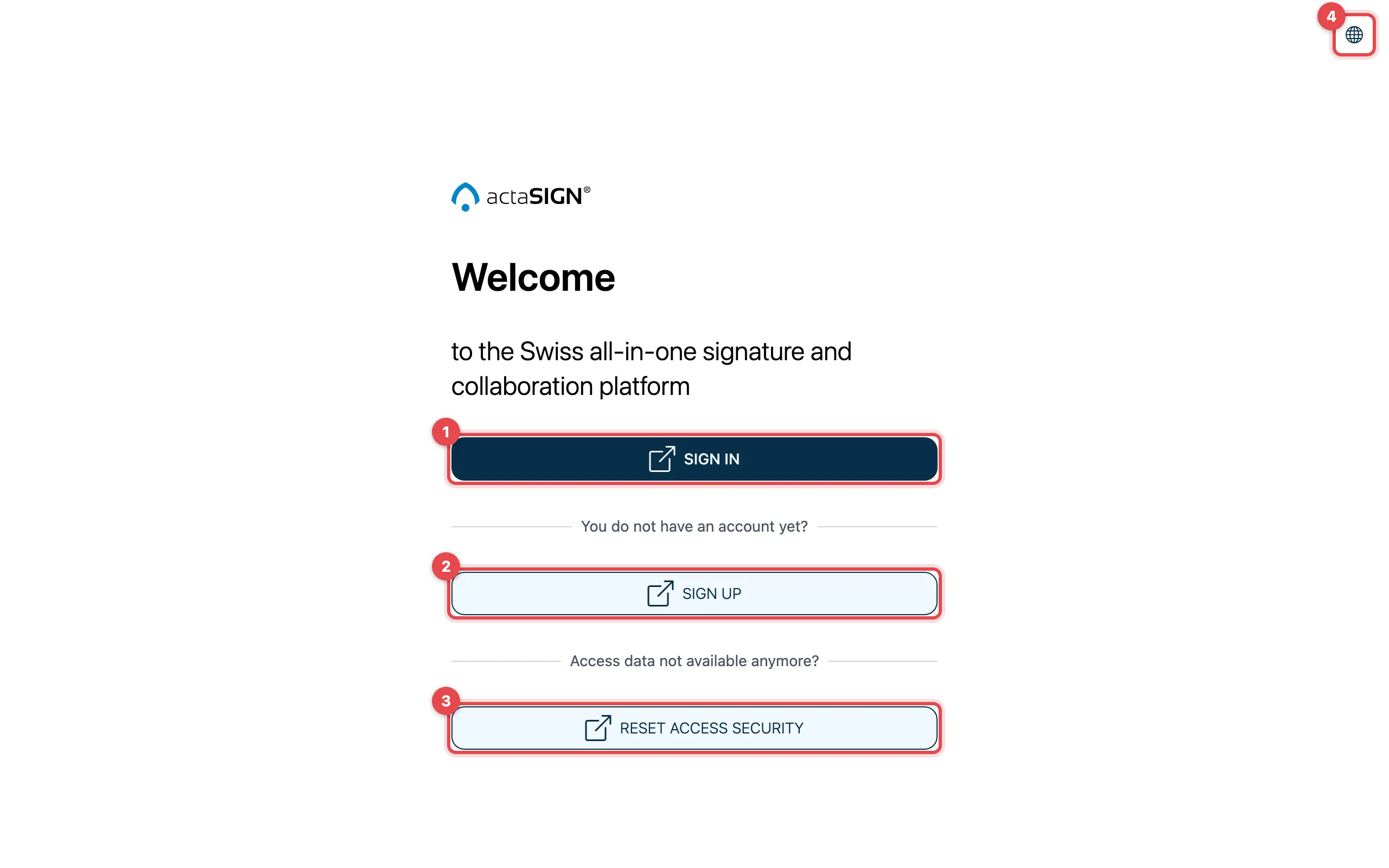
- Sign in: for existing accounts
- Sign up: start here
- Reset access security: if you have forgotten your password
- Change the language (Deutsch, English, Français, Italiano)
Click Sign up. You are taken to actaPASS.
Name and email address
Section titled “Name and email address”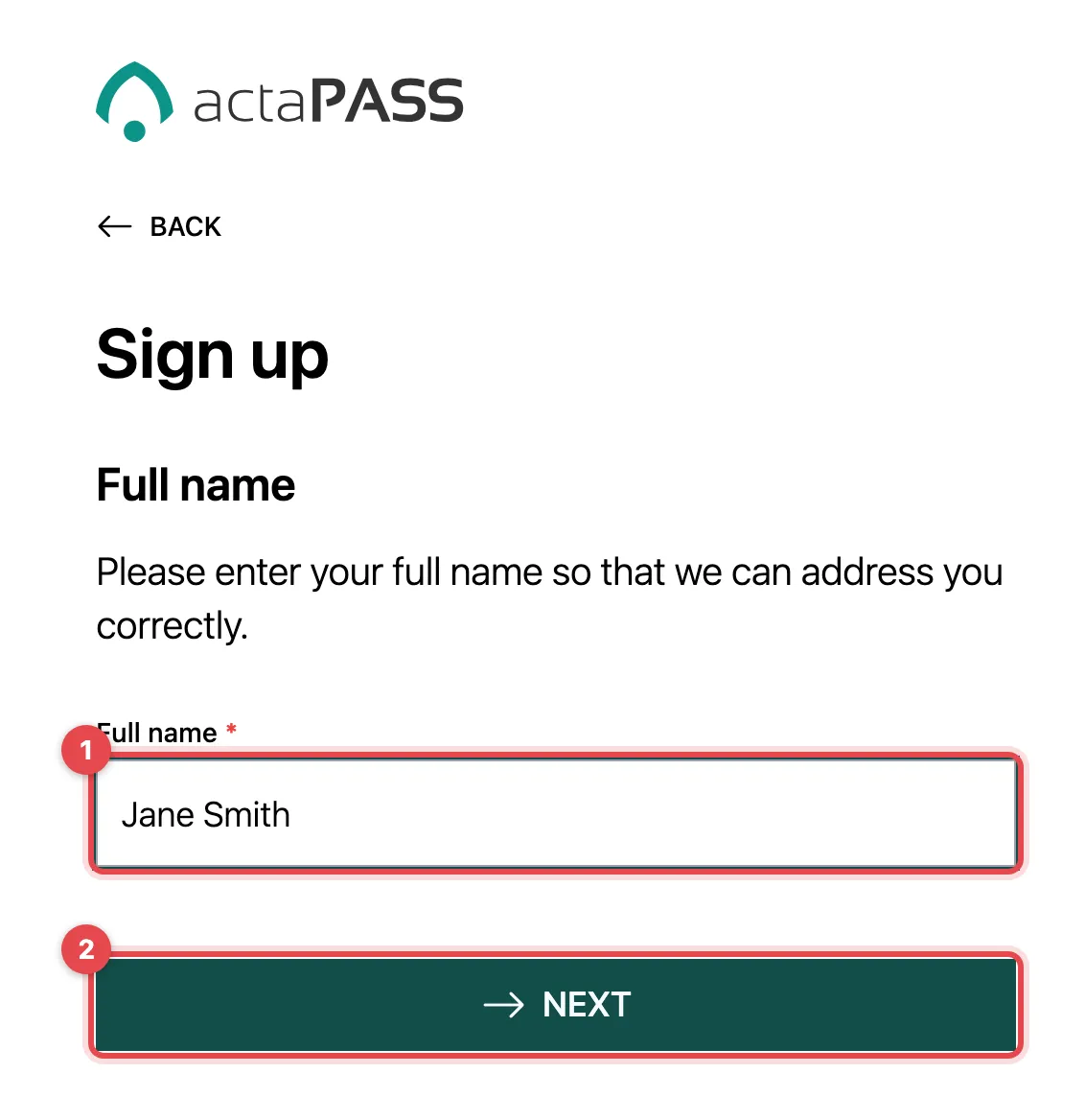
- Enter your Full name.
- Click Next.
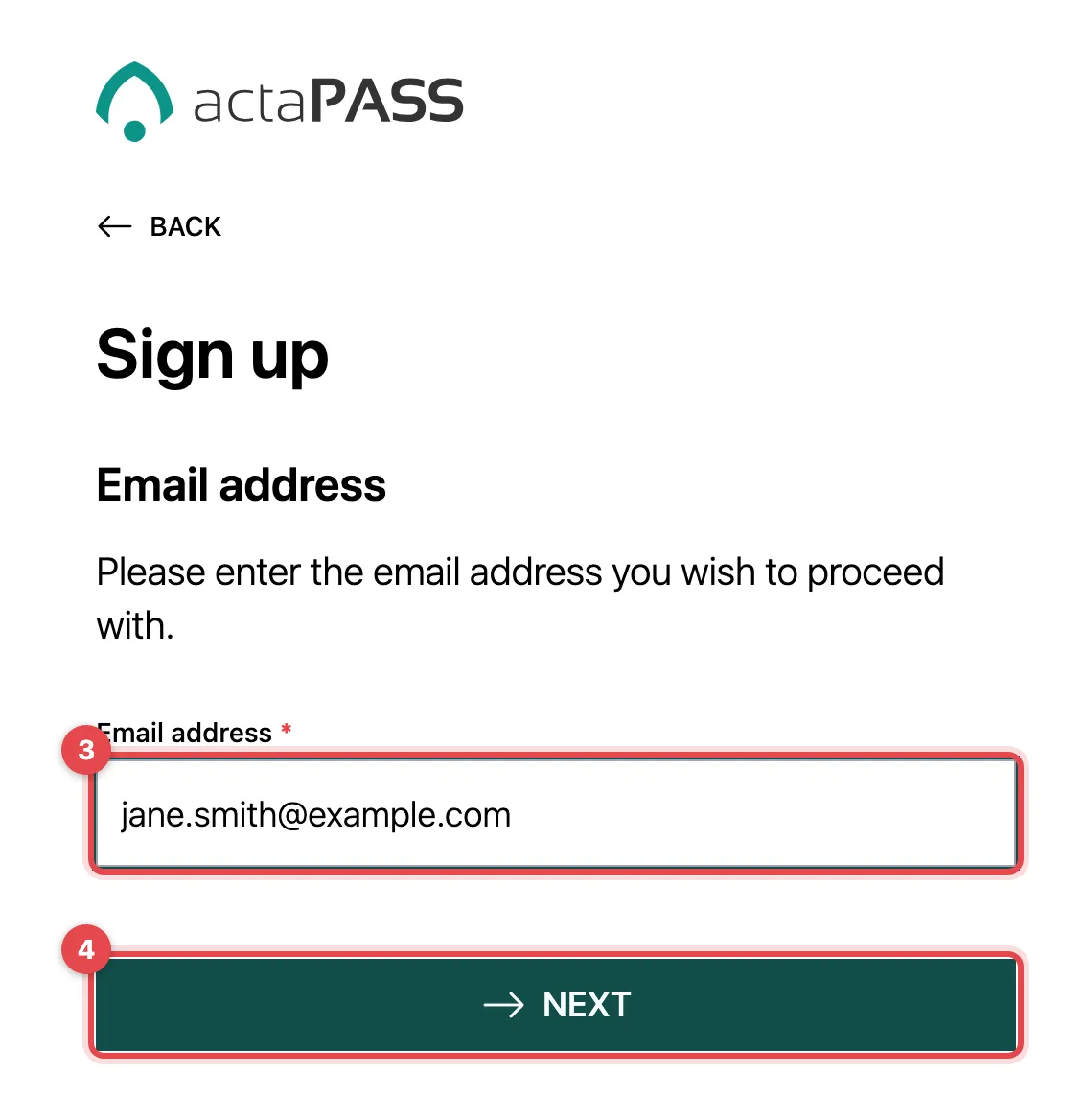
- Enter your Email address. You will use this address to sign in later.
- Click Next. You will receive an email with a six-digit Confirmation code.
Enter the confirmation code
Section titled “Enter the confirmation code”Type in the six digits from the email. If you cannot find the email, check your spam folder.
Choose sign-in security
Section titled “Choose sign-in security”Under Sign-in security you decide how you will sign in from now on:
- Use password: switch on or off
- Additional security factor:
- None
- One-time password (e.g. MS Authenticator): an app on your phone creates a new code every 30 seconds
- FIDO or Passkey: sign in with your fingerprint, face recognition or a security key
You need at least a password or a second factor. Using both is the safest. If your company has set a rule, actaPASS skips this step.
Set your password
Section titled “Set your password”The password must be at least 10 characters long and contain capital letters, small letters, numbers and special characters. Enter it under Password and Confirm password.
Connect an authenticator app
Section titled “Connect an authenticator app”If you chose One-time password (e.g. MS Authenticator):
- Open your authenticator app (e.g. Microsoft or Google Authenticator).
- Scan the QR code. Or copy the Secret key and paste it into the app or your password manager.
- Enter the six-digit code from the app.
After the last step, Your sign-up was successful appears and you are taken back to actaSIGN.
Good to know
Section titled “Good to know”- If your email address is already registered, actaPASS tells you so and offers Sign in.
- To work in an organization, someone there must add you. Your own account alone is not enough.
- You set up a passkey only here or when you reset. Later, actaPASS has no page to manage passkeys.