

The actaSIGN home page
After signing in, you see the home page. From here you reach everything with one click: your documents, your tasks, your requests and the templates.
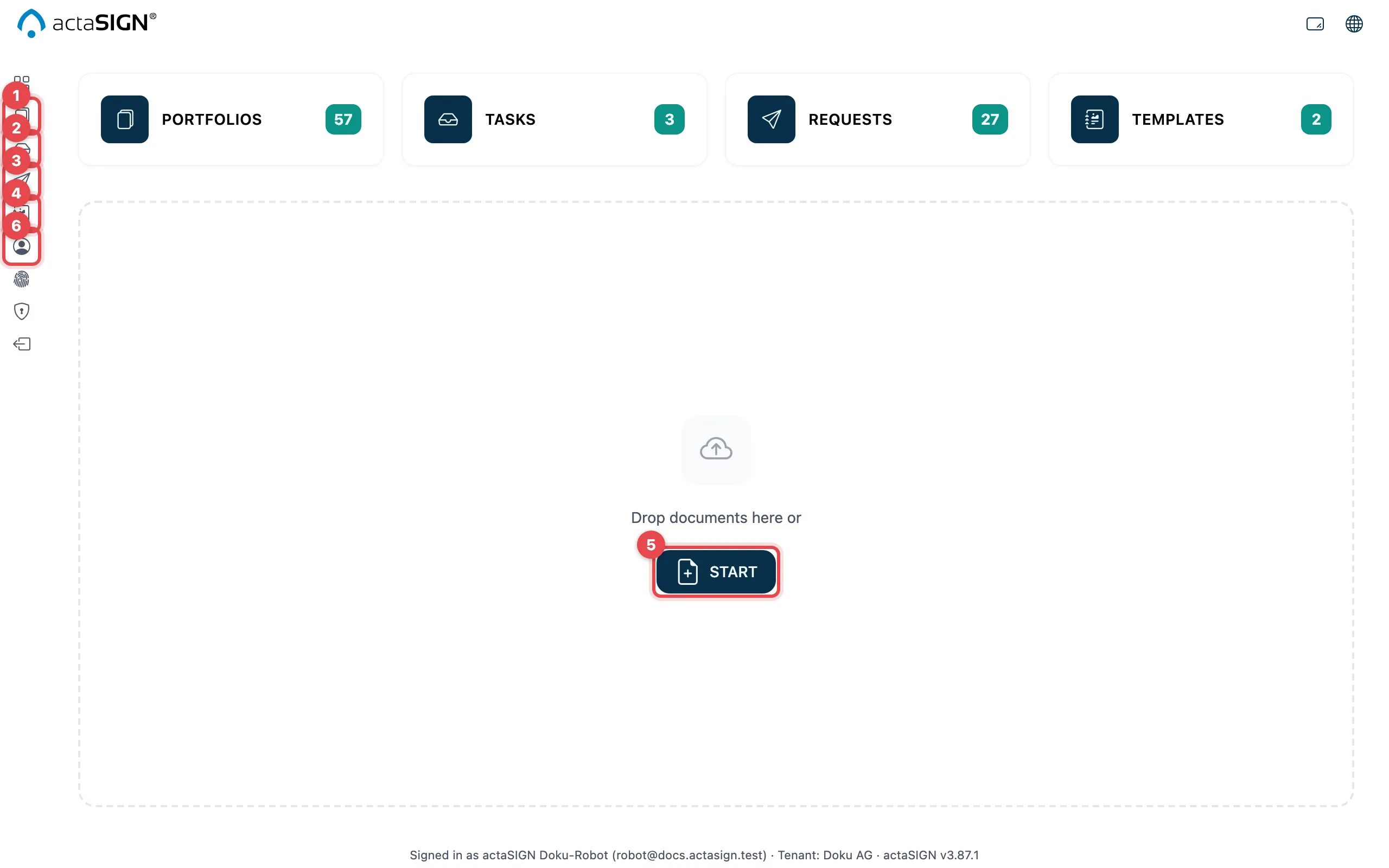
- Portfolios: all your documents
- Tasks: what you must sign or approve yourself
- Requests: what you have sent to others for signing
- Templates: recurring processes
- Start: drop or choose documents here and start a new request straight away
- Profile: your signature, your stamp, your mobile number and your absences
The tiles in the middle show the same areas as the menu on the left. The number on a tile tells you how many entries there are.
The menu on the left
Section titled “The menu on the left”From top to bottom (move the mouse over an icon to see its name):
| Icon | What it opens | Who sees it |
|---|---|---|
| Grid | the home page | everyone |
| Portfolios, Tasks, Requests | the lists | everyone |
| Templates | process and form templates | everyone, unless the administration limits templates |
| Profile | your profile | everyone |
| Strong authentication | passkey and authenticator app | everyone |
| Administration | the administration | administrators and people who may invite to strong authentication |
| Switch tenant | choice of organization | only with several organizations |
| Sign out | signs you out | everyone |
Good to know
Section titled “Good to know”- If Templates is missing from the menu and the tile shows Access Restricted, your administration has limited templates to administrators.
- The footer shows the name and the organization you are signed in with.
- You set the icon size and the language at the top right, see Language and display.