

Choose recipients and a starting point
In the second step you decide who gets a task. If you invite others, you then choose the starting point: a template that already brings recipients and settings, or an empty process.
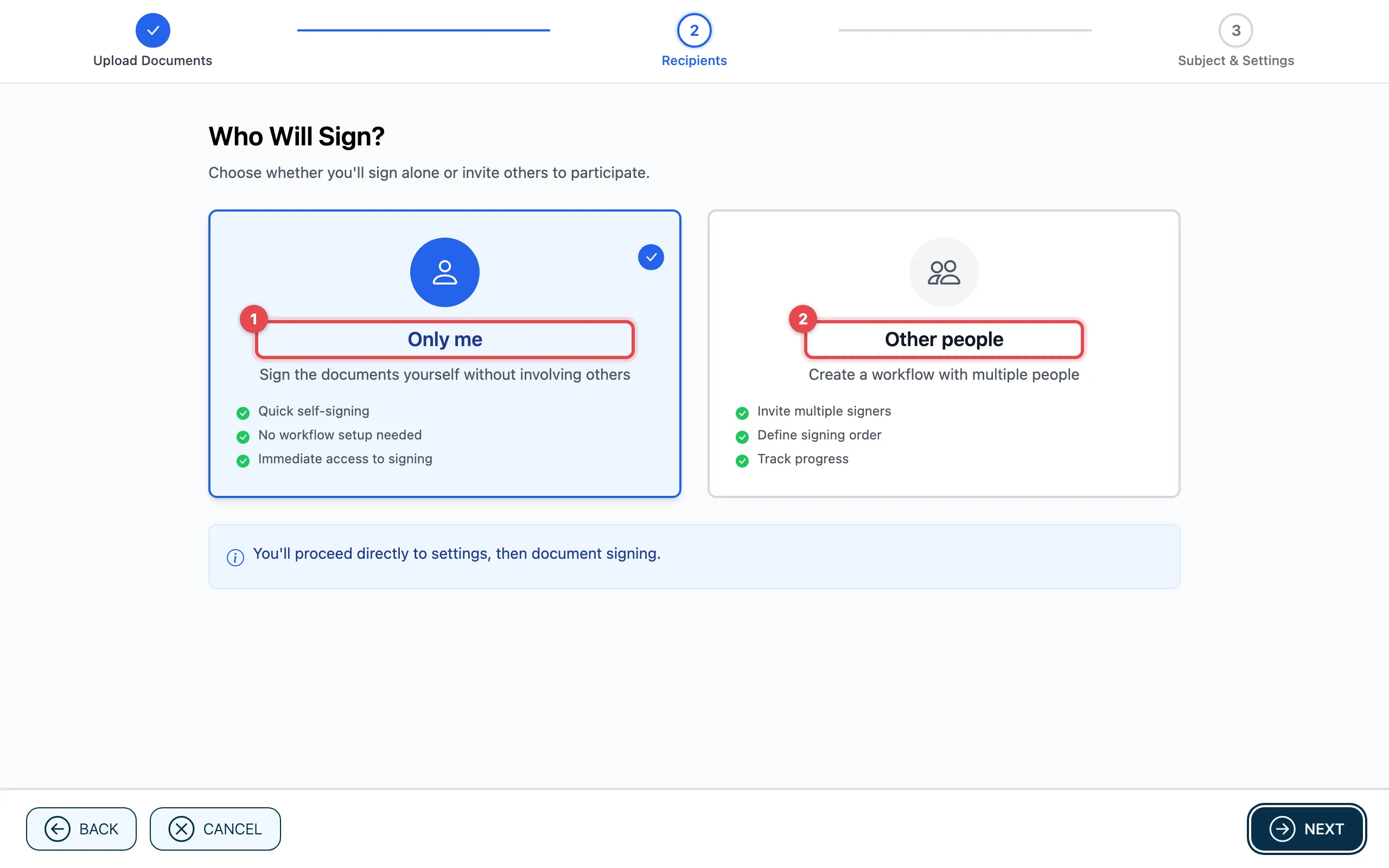
- Only me: you sign the documents yourself, without other people. Only the subject and settings follow, then the document.
- Other people: you invite others and later set who takes their turn in which order.
Choose a starting point
Section titled “Choose a starting point”After Other people, Choose a Starting Point appears.
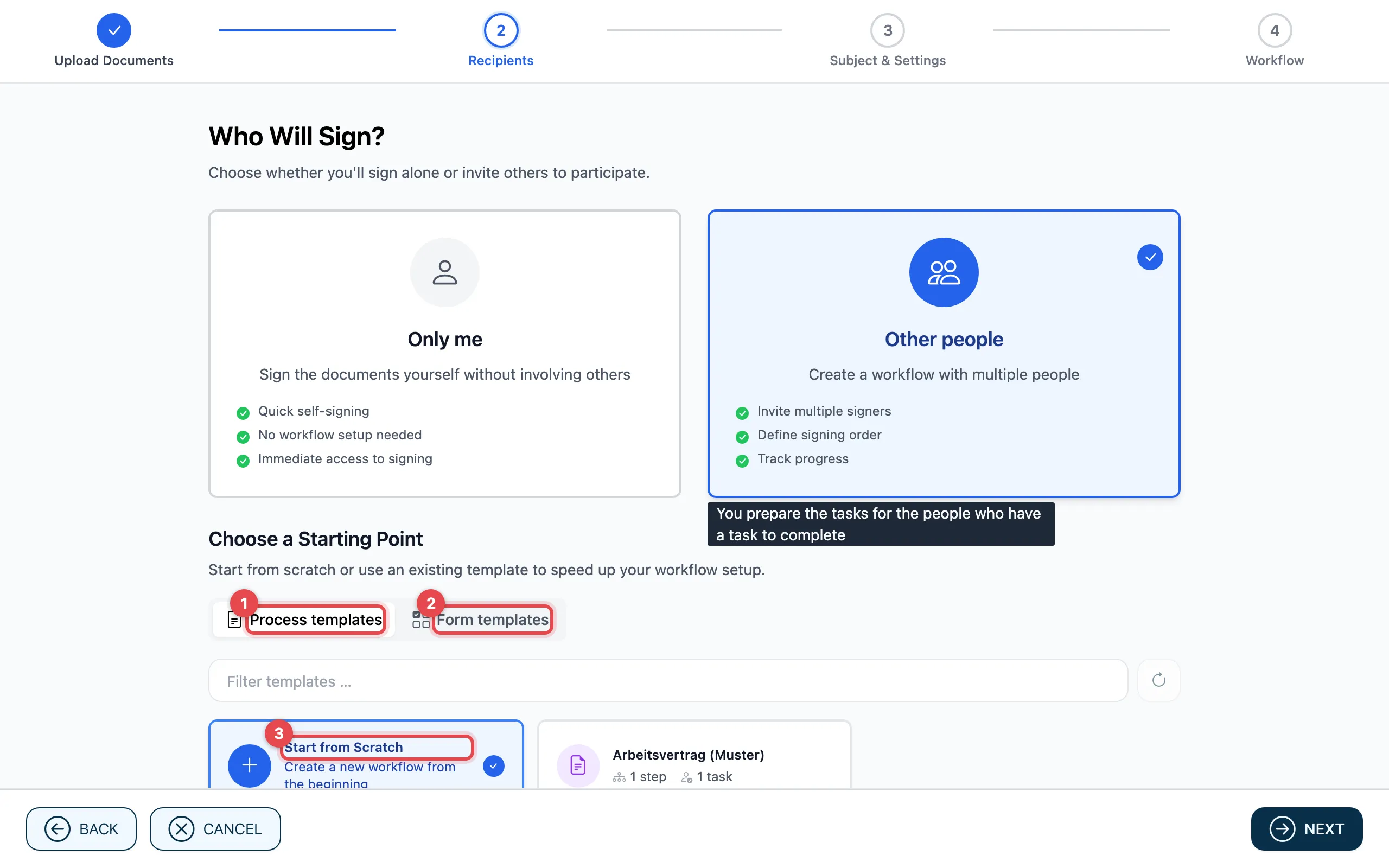
- Process templates: a saved template brings in steps, tasks, recipients and settings. You can still change everything afterwards.
- Form templates: a form template brings fields and roles. Its fields are placed on the first document from step 1; the template’s files follow right after it.
- Start from Scratch: you set up the process yourself.
With Filter templates … you search for a template by its name. Then click Next.
Good to know
Section titled “Good to know”- Without a choice, Next stays grey.
- If you have no template yet, actaSIGN only shows Start from Scratch. You create templates under Templates.
- If you start directly from a template (under Templates), actaSIGN skips this step.