

Invite others and sign yourself too
If you must sign as well, e.g. as a party to the contract, add yourself to the workflow like any other person. You decide whether it is your turn first, at the same time or last.
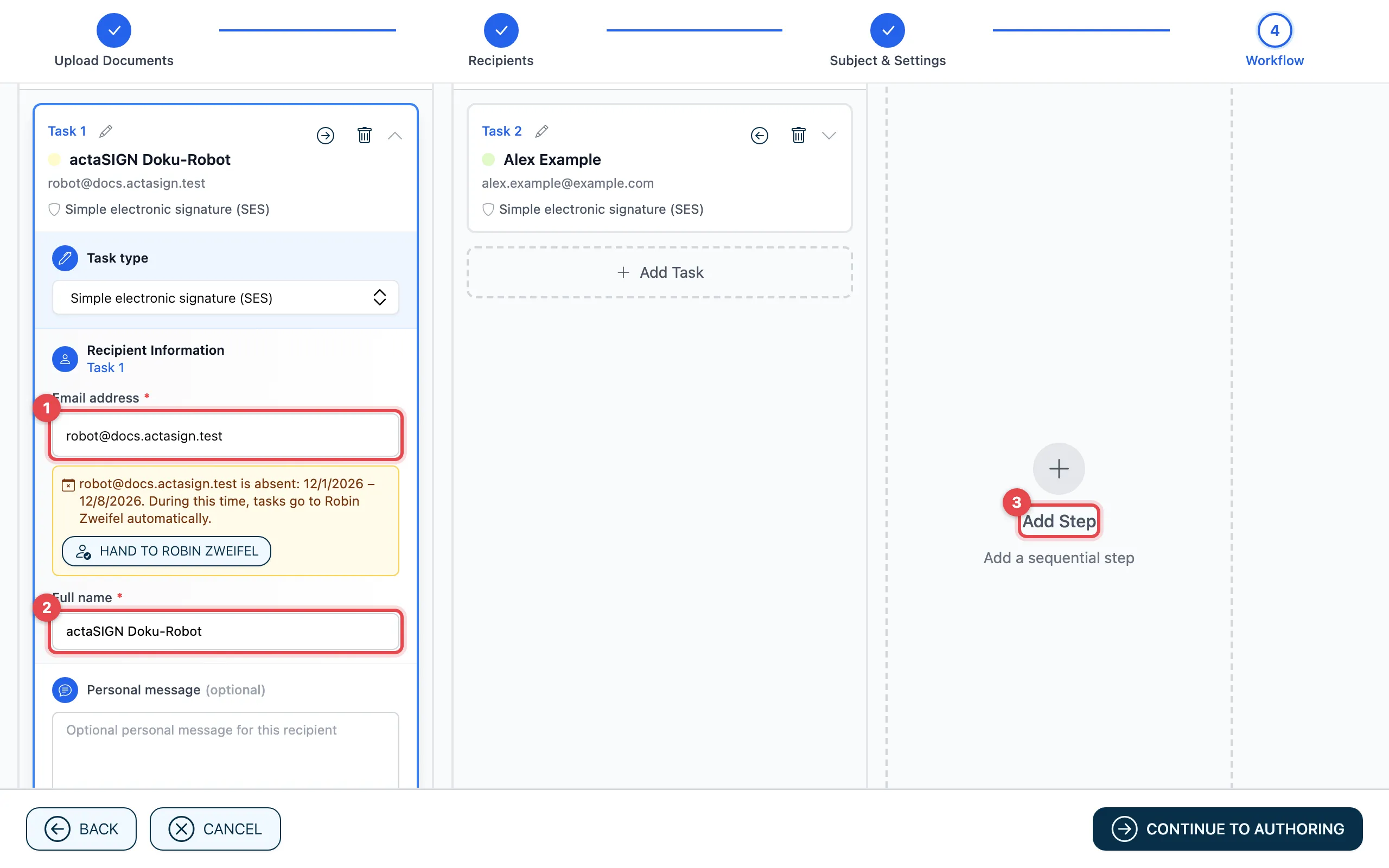
- In the first task, enter your own address under Email address. actaSIGN suggests it as soon as you start typing.
- Enter your Full name.
- With Add Step you set that the other person signs only after you. If they should sign at the same time, use Add Task instead.
Then place a signature field for yourself in the document as well, and send the request.
Complete your own task
Section titled “Complete your own task”After sending, you receive an e-mail, like everyone else. You also find the task under Tasks. Open it and sign it there, see Complete tasks.
Good to know
Section titled “Good to know”- If you choose Only me in step 2, you sign alone and nobody else gets a task. See Sign yourself.
- If you are in step 1 and the other person is in step 2, they only get the e-mail once you have signed.