

Use, edit or delete a process template
From a process template you start a new request with the process already set up. You only add the document and the recipients.
Start from the list
Section titled “Start from the list”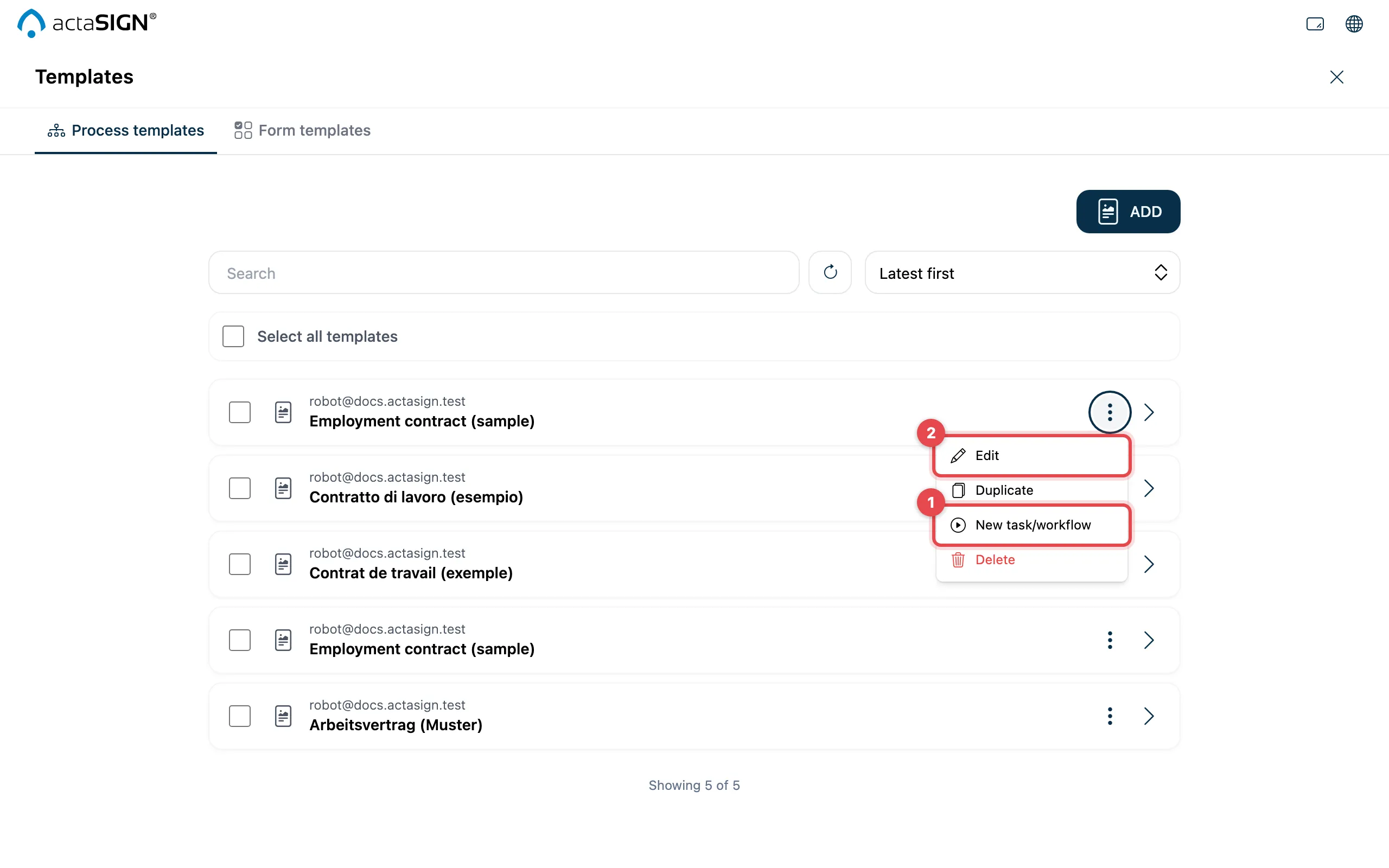
- New task/workflow: starts a new request with the template’s process.
- Edit: opens the template so you can change it. Save with Save.
Also in the menu: Duplicate makes a copy, Delete removes the template for good after asking you to confirm.
When creating a request
Section titled “When creating a request”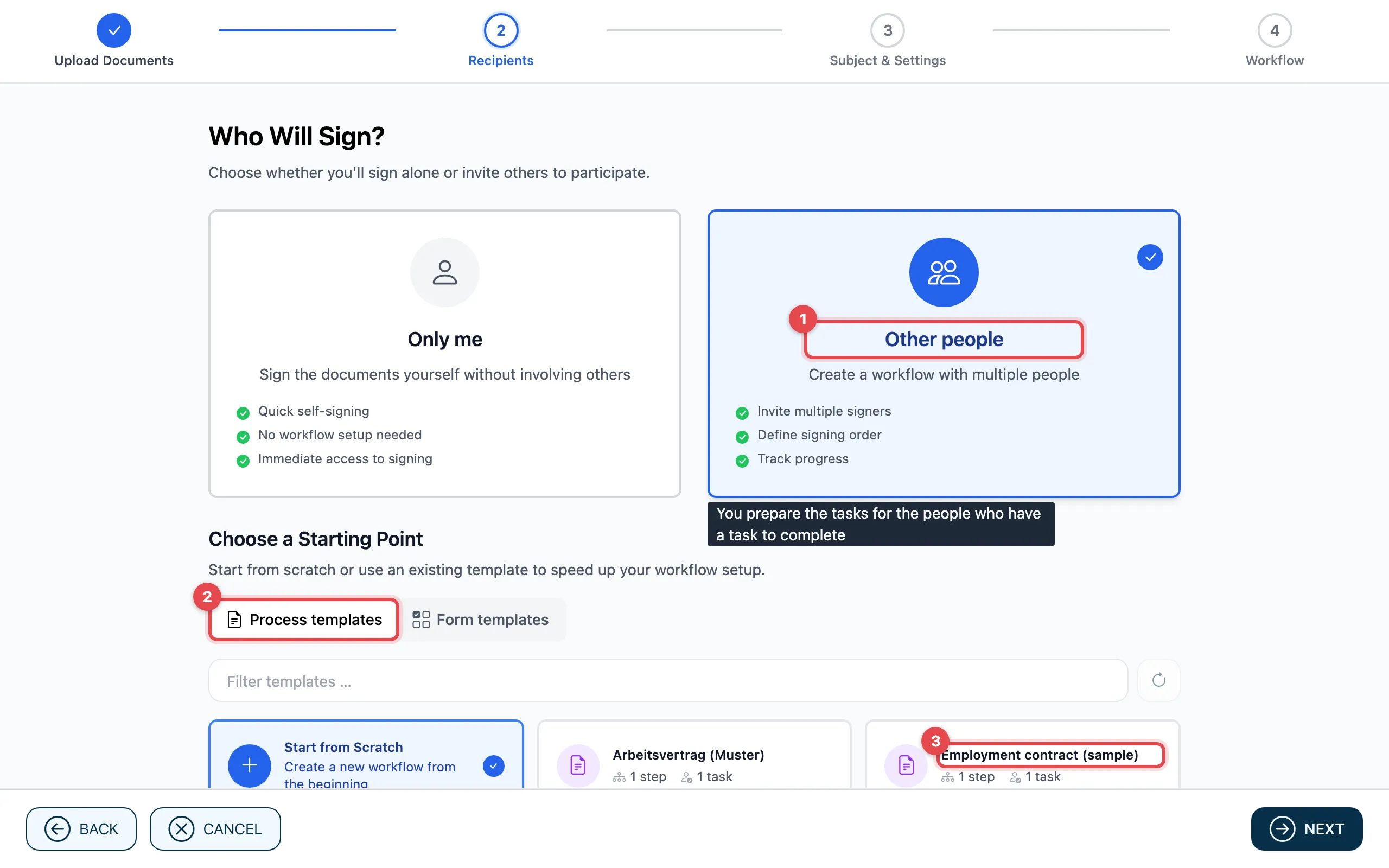
- Upload the document and, in the Recipients step, choose Other people.
- Under Choose a Starting Point you find the Process templates tab.
- Click the template. actaSIGN takes over the subject, settings and process and moves on to the next step.
Then, in the Workflow step, enter the recipients where the template has none yet, and place the fields as for any request.
Good to know
Section titled “Good to know”- In step 2, only templates for Other people appear.
- With Start from Scratch you work without a template.
- What you change in a new request does not change the template.
- To delete several templates: tick the boxes in front of the rows and choose Delete at the top.
- Your administrators decide which tab is open first in step 2.