

Notify other systems by webhook
A webhook tells another system (for example your archive or CRM) as soon as something happens in actaSIGN, for example when a request is completed. The other system then fetches the details through the links in the message.
Set up a webhook
Section titled “Set up a webhook”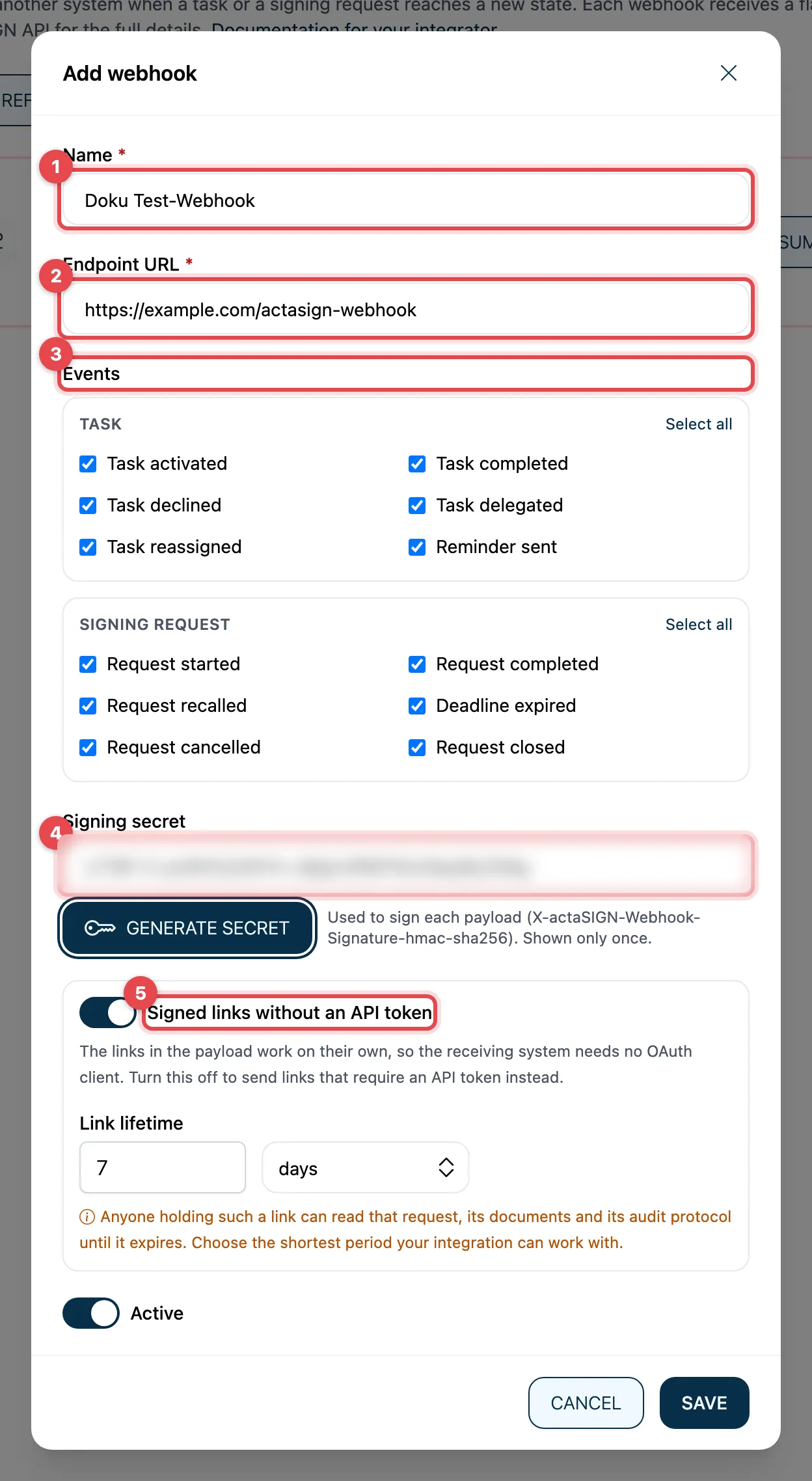
- Click Add webhook and enter a Name.
- Endpoint URL: the address of the receiving system. It must start with
https://. - Events: choose what is reported. Select all selects all events of a group.
- Signing secret: click Generate secret and pass the value on to the integrator right away. It is shown only once.
- Signed links without an API token: if this is on, the links in the message work without API access. Then choose a Link lifetime that is as short as possible.
- Click Save.
The events:
| Group | Events |
|---|---|
| Task | Task activated, Task completed, Task declined, Task delegated, Task reassigned, Reminder sent |
| Signing request | Request started, Request completed, Request recalled, Deadline expired, Request cancelled, Request closed |
Test and monitor
Section titled “Test and monitor”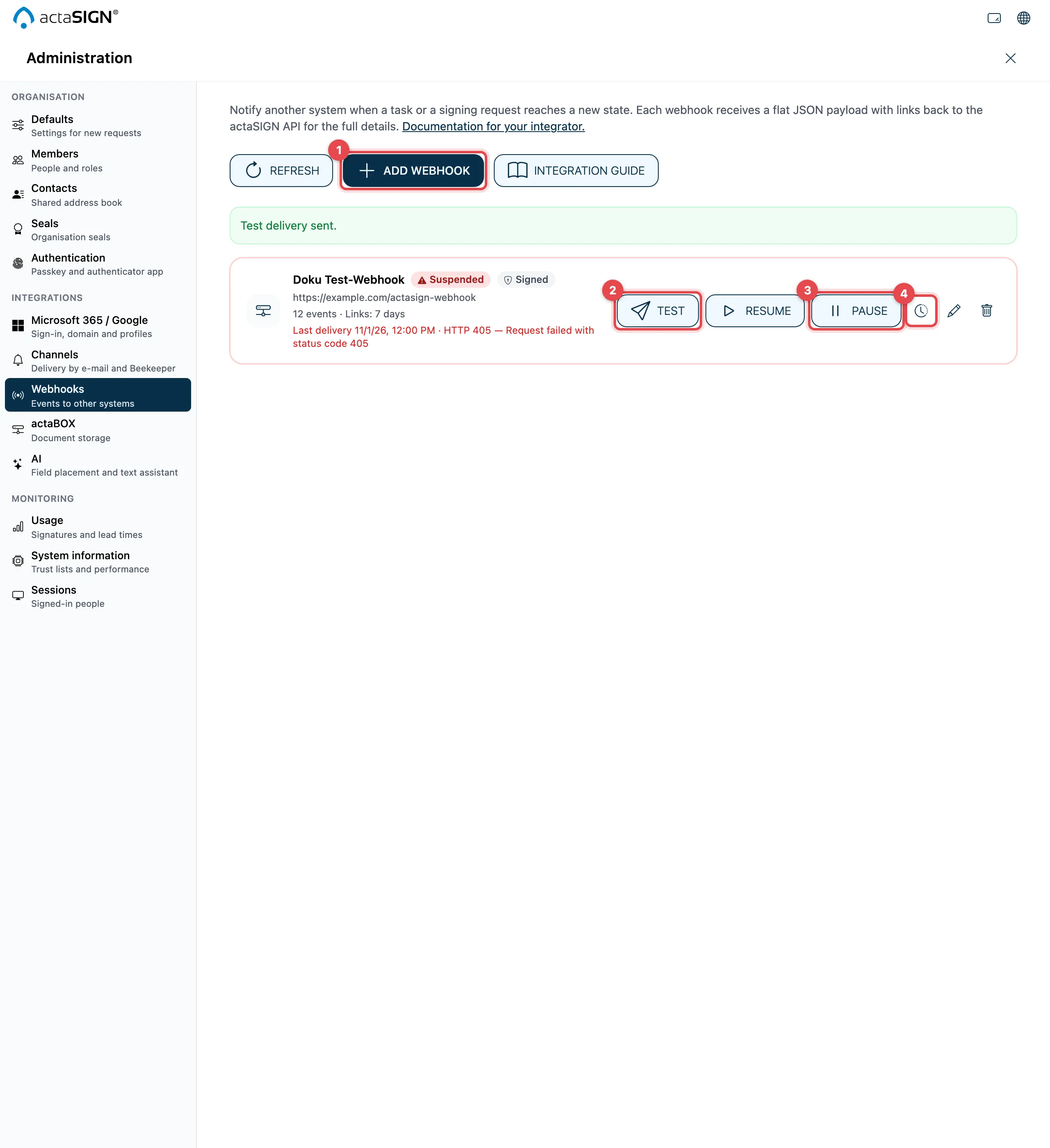
- Add webhook
- Test sends a test message to the endpoint URL.
- Pause stops the webhook without losing its settings; Activate switches it on again.
- The clock icon opens the deliveries.
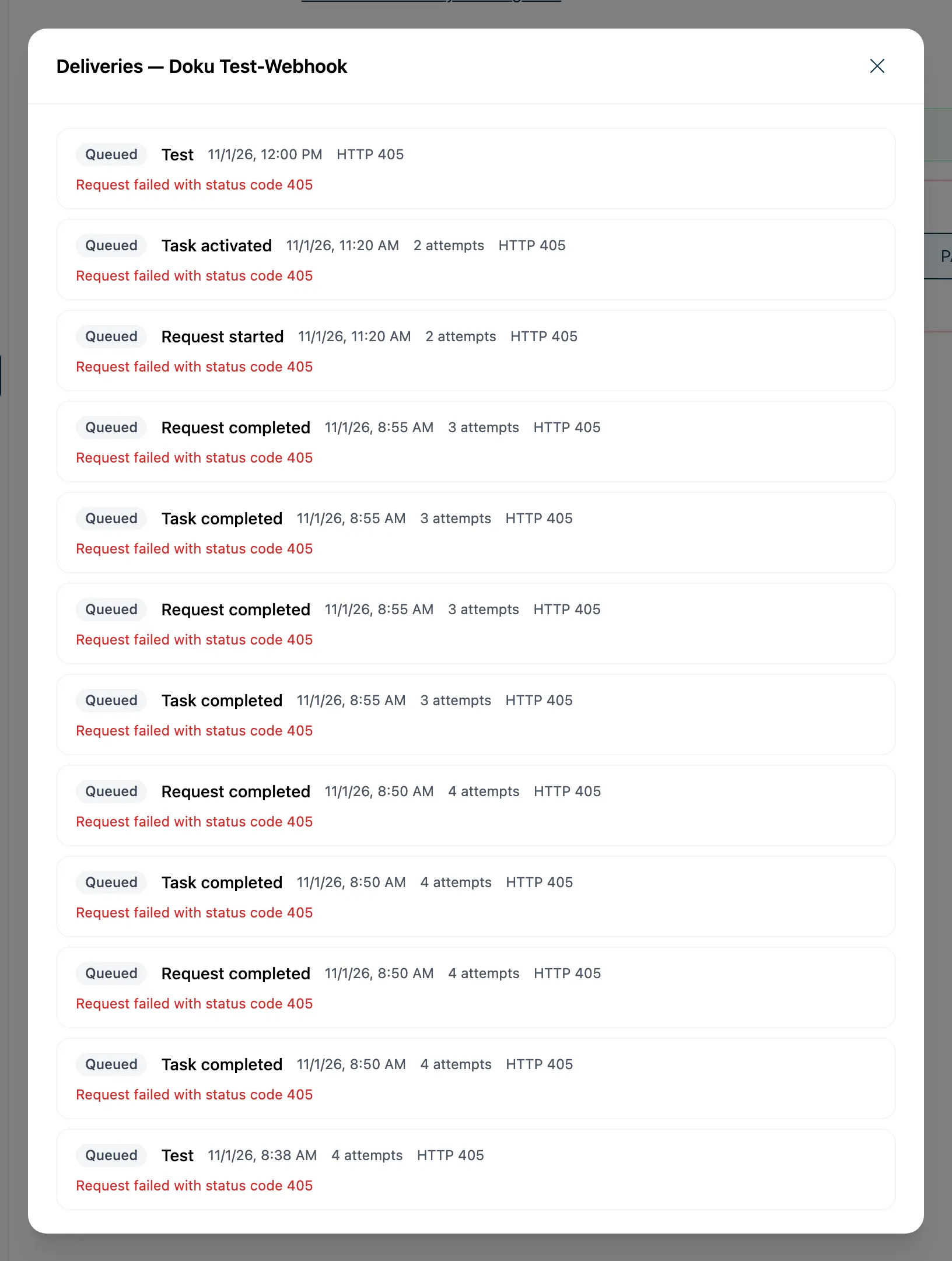
Each delivery has a status: Queued, Sending, Delivered or Failed. You send a failed delivery again with Retry.
Good to know
Section titled “Good to know”- If many delivery attempts fail in a row (20 by default), actaSIGN suspends the webhook (Suspended). While it is suspended, no messages go to it. When the receiving system can be reached again, click Resume. A new endpoint URL also resumes it.
- Each message is signed with the secret, so the receiving system can check that it comes from actaSIGN.
- With the pencil and the bin you edit or delete a webhook. After deleting, the system no longer receives messages; queued deliveries expire.