

Use your own actaBOX server
actaBOX is the document store of actaSIGN. By default, documents are kept on the actaSIGN actaBOX server. If your organization runs its own actaBOX, enter its address here.
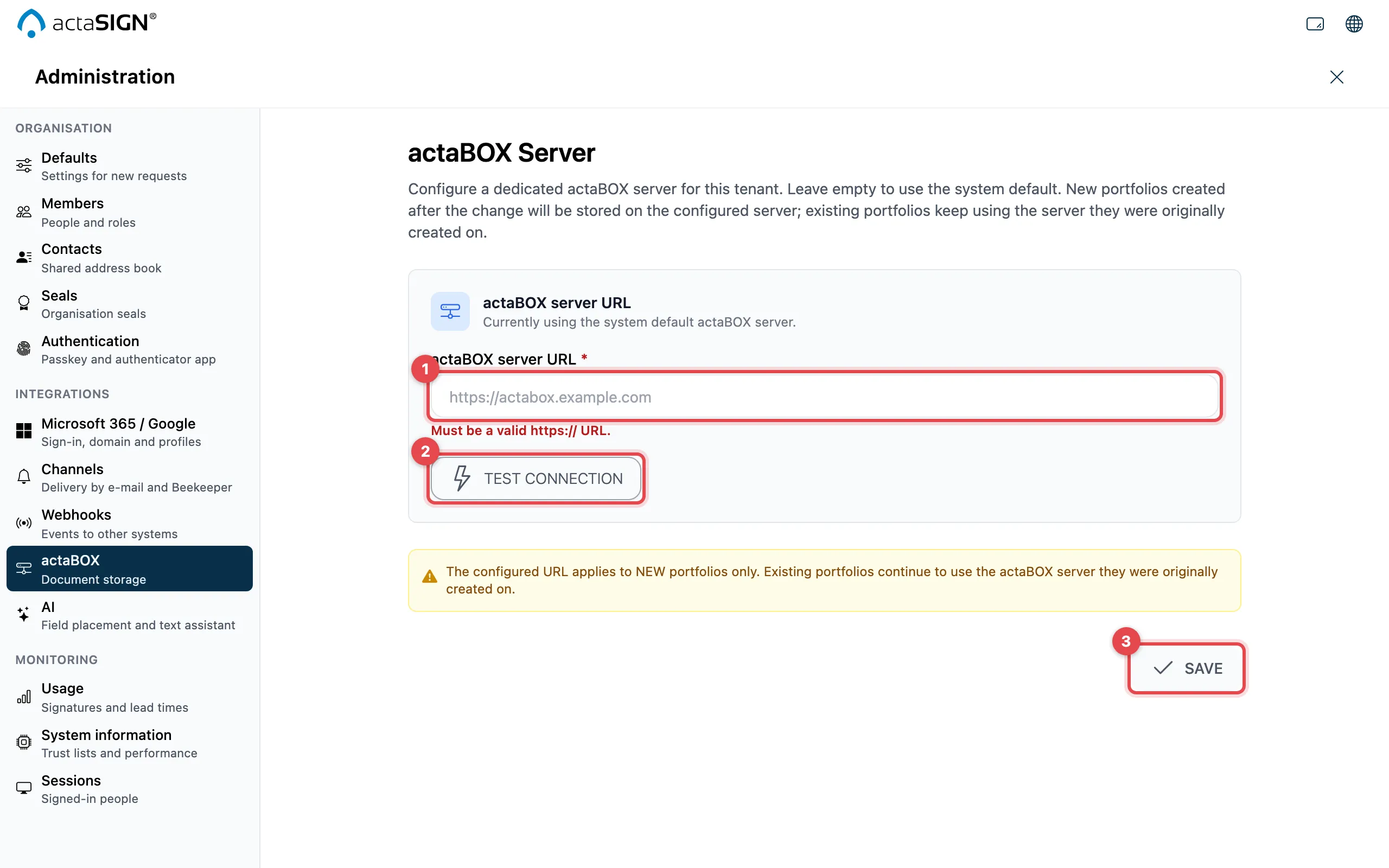
- Enter the actaBOX server URL. It must start with
https://. - Click Test connection. If the server answers correctly, you see Connection successful — server responded like an actaBOX.
- Click Save.
Good to know
Section titled “Good to know”- The address only applies to new portfolios. Existing portfolios stay on the server where they were created.
- Reset to system default removes your address again. Existing portfolios are not affected.