

Choose how your signature looks
The appearance decides what shows in the signature field on the document: only your handwritten signature, the signature with your name, or everything with job title and organization. You can save several appearances and choose one as the default.
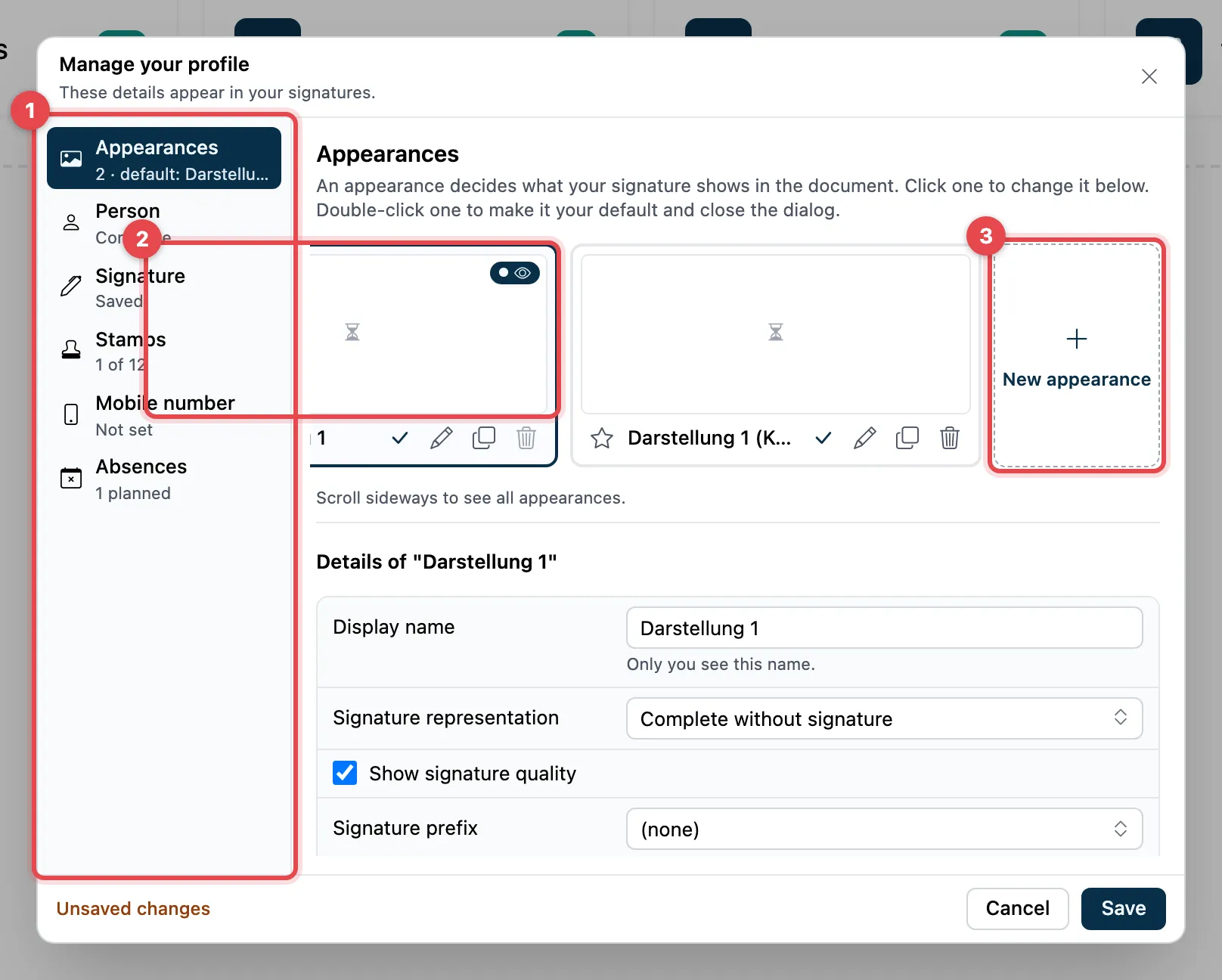
- On the left, choose the Appearances section.
- Each card is one appearance. The star marks the default. Click a card to edit it below.
- New appearance adds another one.
Edit an appearance
Section titled “Edit an appearance”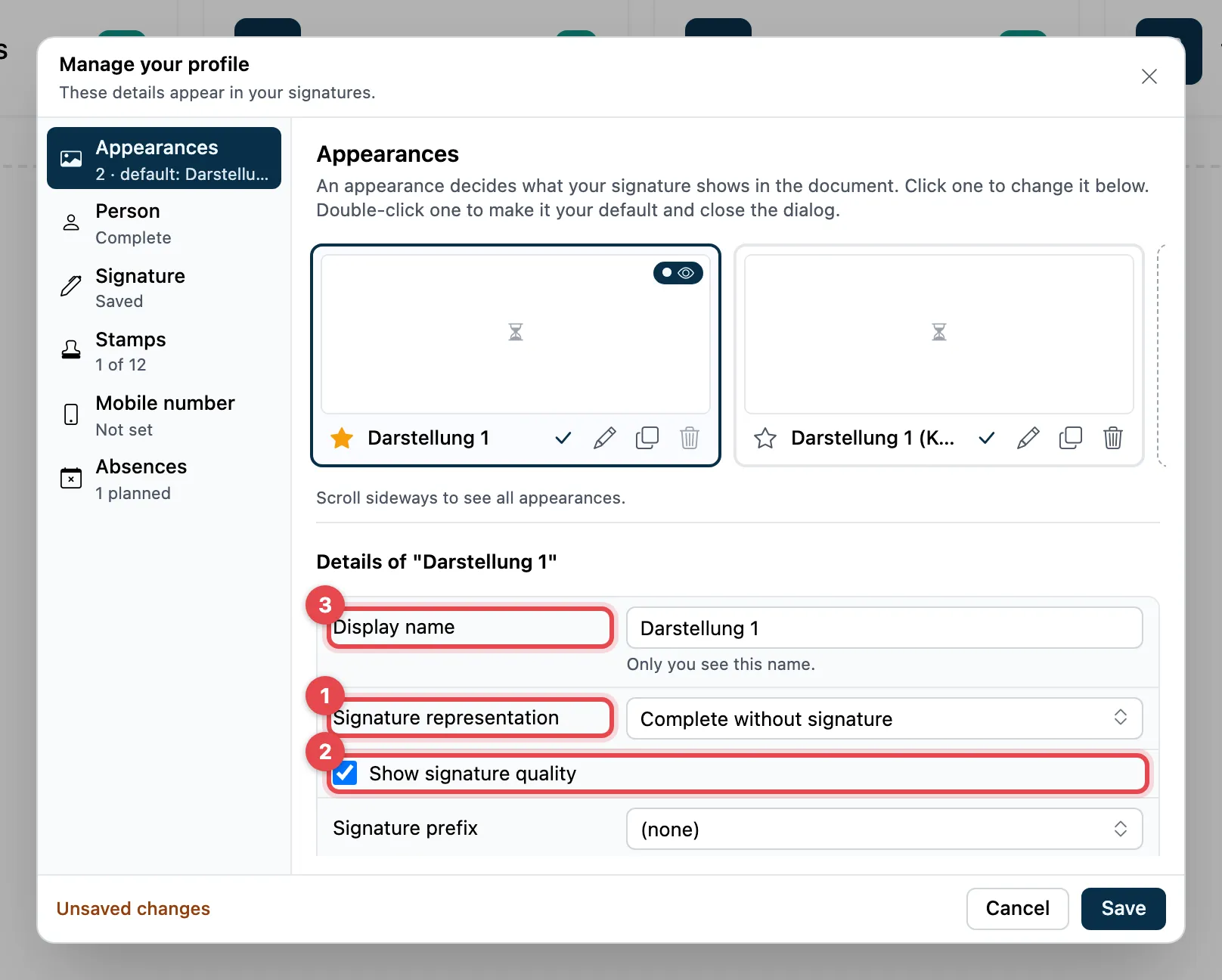
- Signature representation: what shows.
- Complete: signature, name, job title, organization, place, date
- Complete without signature: the same without the handwritten signature
- Place, date and signature
- Signature and name
- Signature only
- Empty (transparent): nothing visible
- Show signature quality: shows in the field whether it is, for example, a simple or a qualified signature.
- Display name: the name of the card. Only you can see it.
Further down you find Signature prefix (e.g. p.p. or pp., or Custom…), Job title, Organization and Locality. The preview on the card changes right away.
Click Save at the bottom.
Default, copy, delete
Section titled “Default, copy, delete”Above each card there are small icons:
| Icon | What it does |
|---|---|
| ☆ Make default | this appearance becomes the default |
| ✓ Use as default and close | makes it the default, saves and closes the dialog |
| ✎ Edit details | opens the details below |
| ⧉ Duplicate | makes a copy |
| 🗑 Delete | removes the appearance |
A double click on a card also makes it the default, saves and closes the dialog. Reset undoes changes to an appearance that you have not saved yet.
Good to know
Section titled “Good to know”- You cannot delete the default appearance. Make another one the default first.
- If an appearance shows the handwritten signature but you have not added one yet, a notice with Add signature appears.
- If you enter an organization, add your job title as well.
- Documents that are already signed do not change.
- When you sign, you can choose a different appearance than the default.