

Reuse a request
If you need to send the same process again, for example because a request was recalled or declined, copy the recipients, tasks, message and settings into a new request. The original request stays unchanged.
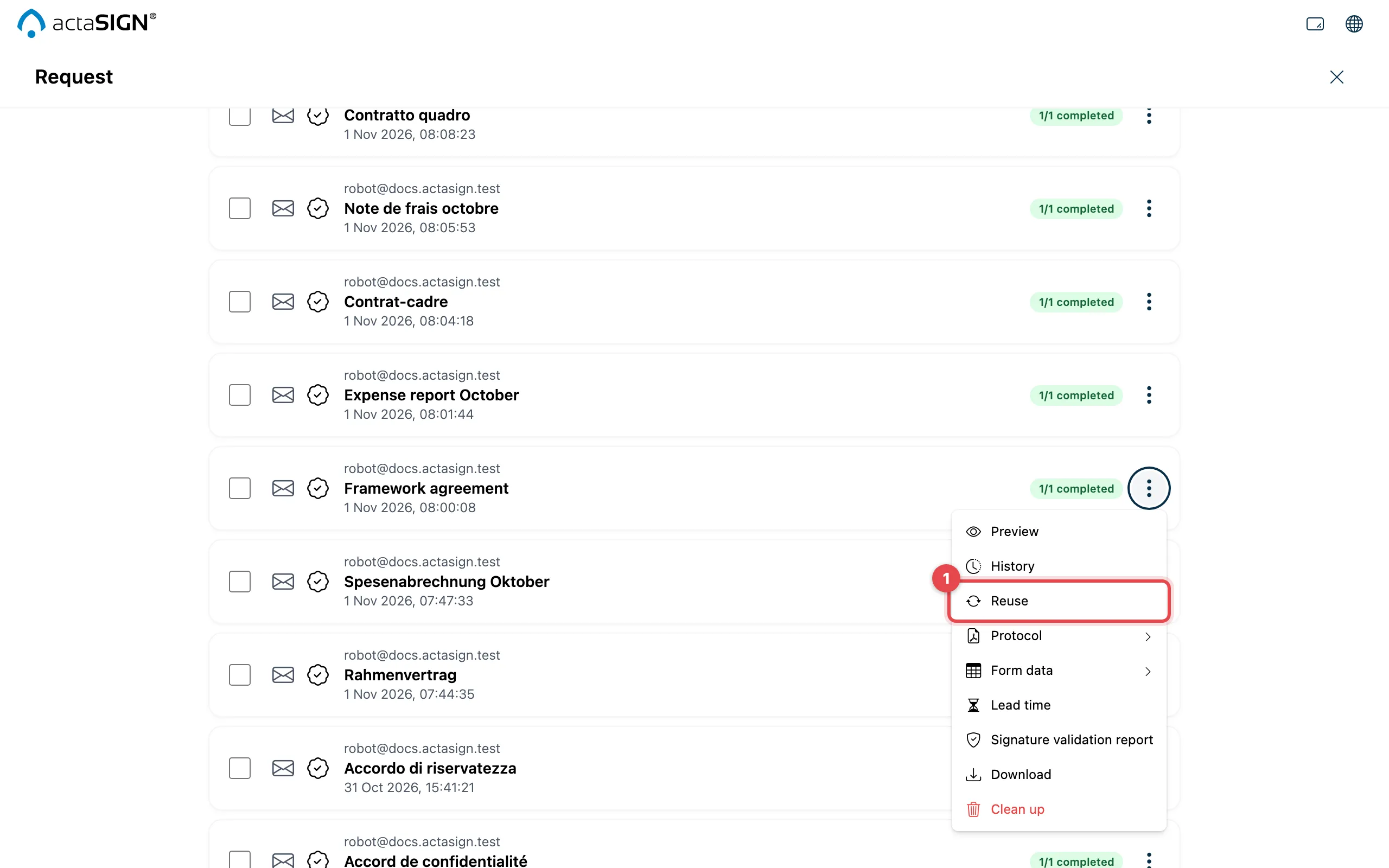
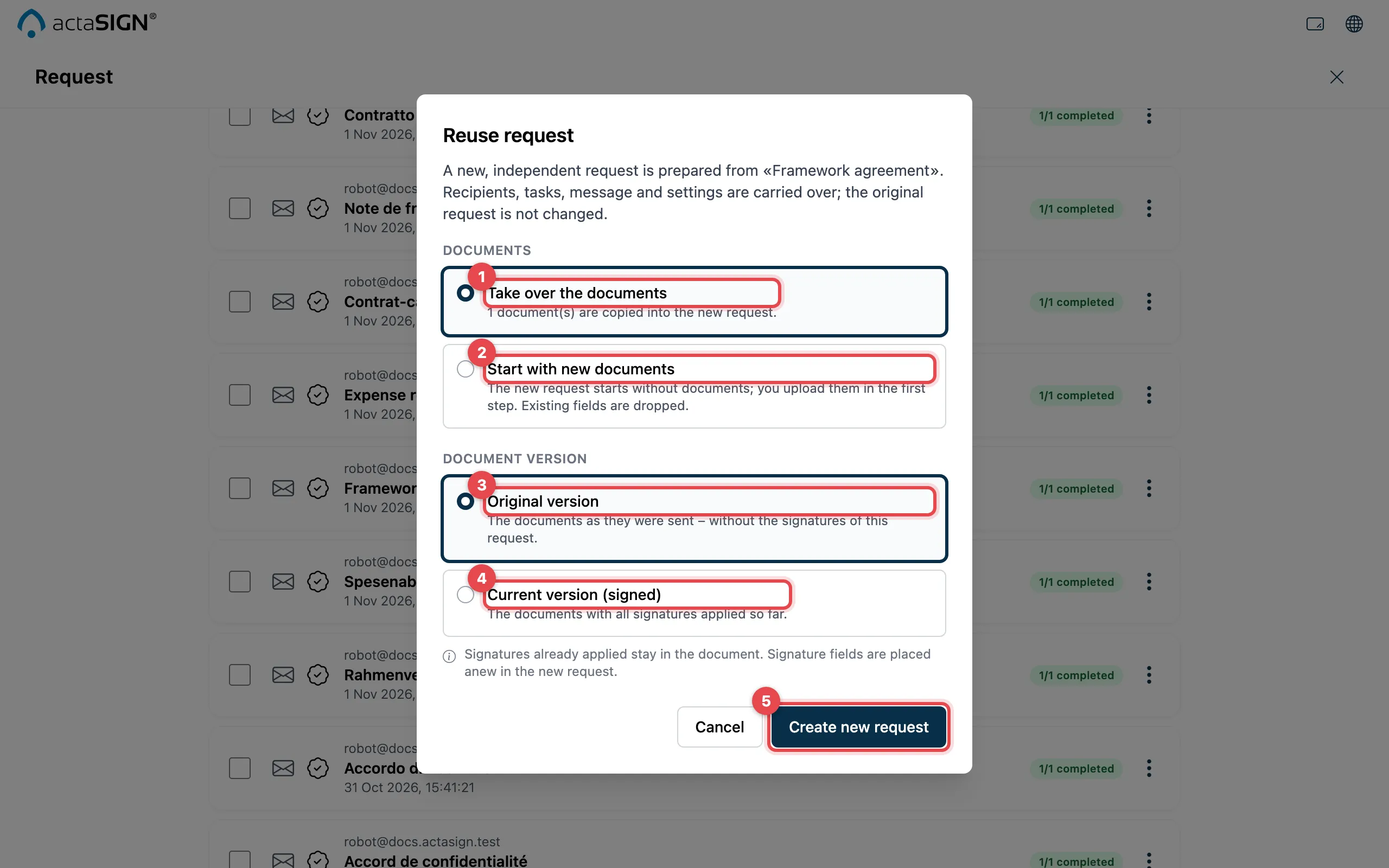
- Take over the documents: the documents are copied into the new request.
- Start with new documents: the new request starts without documents; you upload them in the first step. Existing fields are dropped.
- Original version: the documents as they were sent, without the signatures of this request.
- Current version (signed): the documents with all signatures already applied.
- Click Create new request. actaSIGN opens the assistant with the new request.
The choice of version (3, 4) only appears if you take over the documents and they already contain signatures.
Good to know
Section titled “Good to know”- The new request is a draft under Prepared until you send it. Check the recipients and fields before you send.
- If you take over the signed version, the existing signatures stay in the document. You place the signature fields again in the new request.
- If you cancel the new request, actaSIGN offers to delete it together with the copied documents.
- If the documents are no longer available (for example after cleaning up), the new request starts without documents.
- A draft cannot be reused; open it with Edit.