

Form teams
A team groups members of your tenant together, for example the legal department or everyone who approves contracts.
In actaSIGN, team members see the requests and portfolios that another member of the team has created, and can manage them like their own.
Create a team
Section titled “Create a team”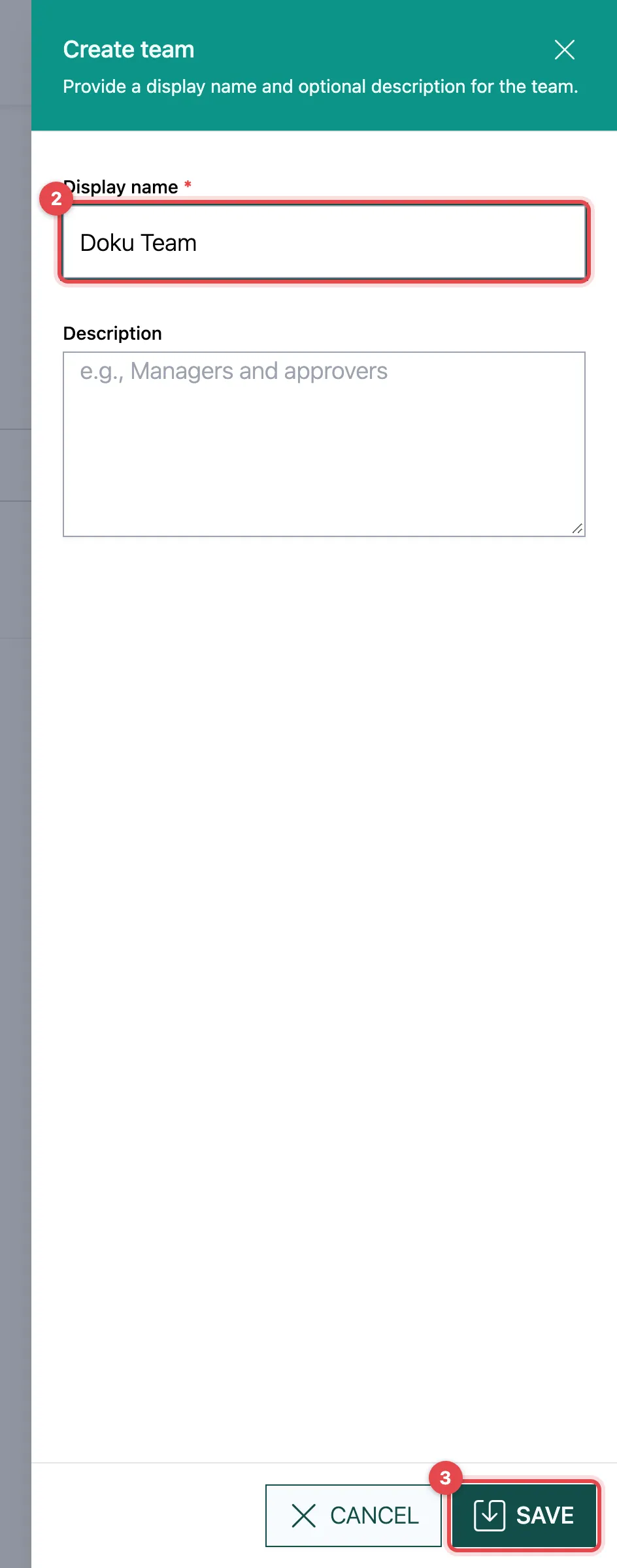
- Click Add.
- Enter a Display name (e.g. “Legal Team”) and optionally a Description.
- Click Save.
Assign members
Section titled “Assign members”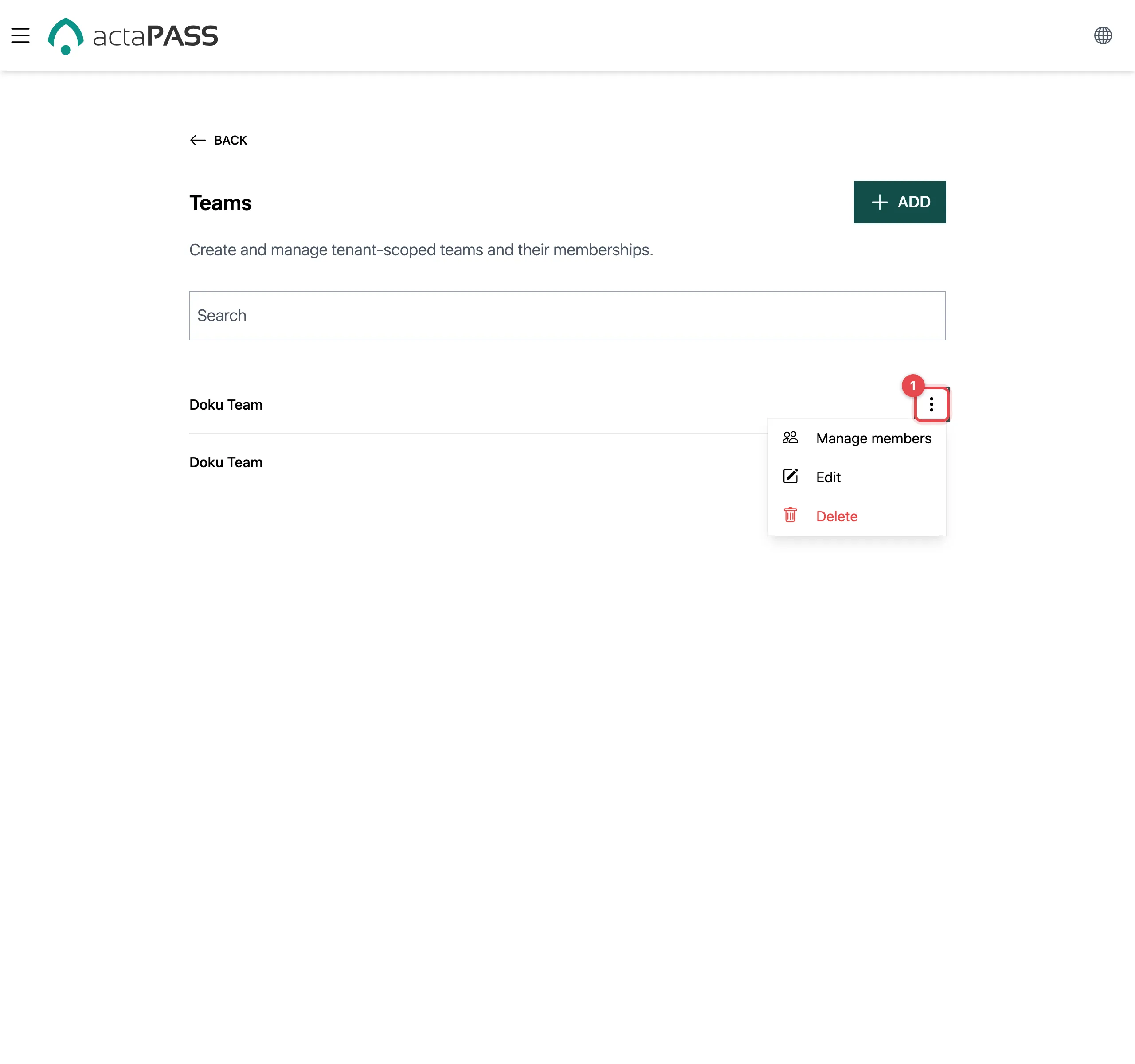
- Click ⋮ next to the team and choose Manage members.
- Tick each person who belongs to the team. Untick a person to take them out. The search field helps you find people faster.
- Click Close.
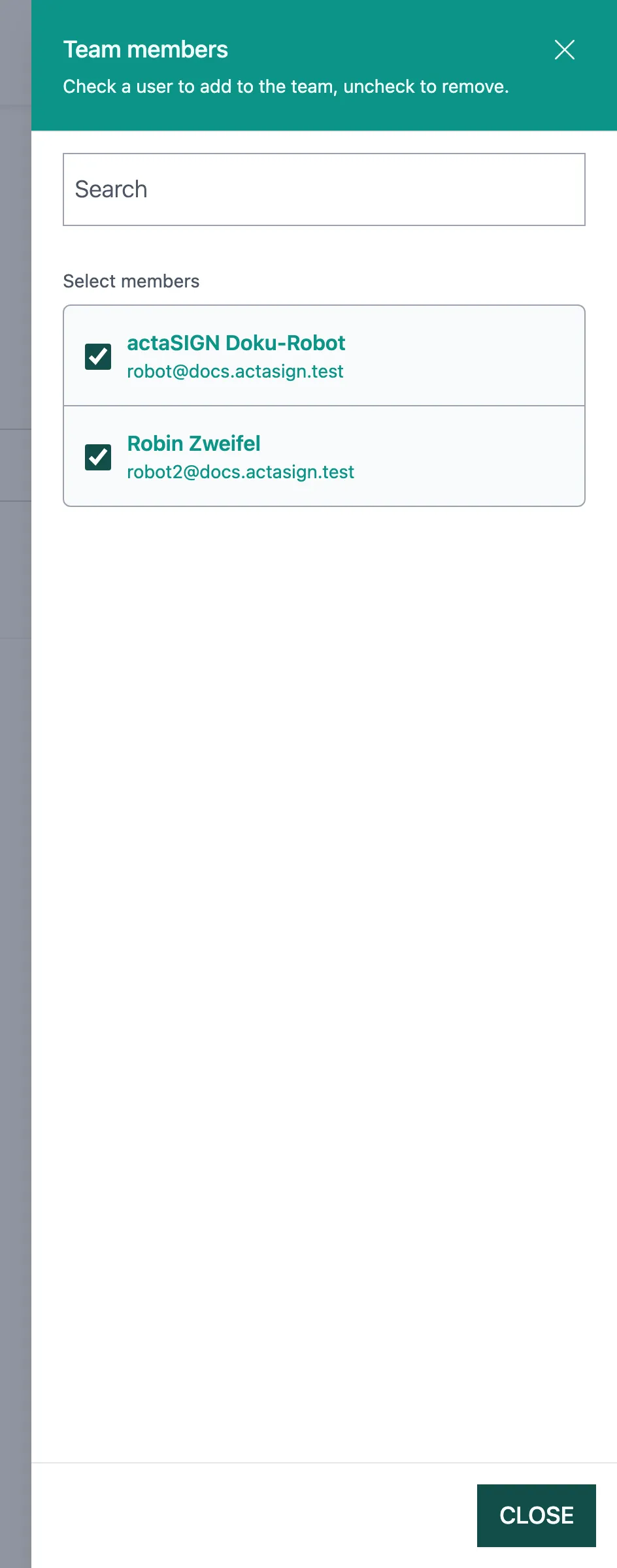
Each tick is saved at once.
Good to know
Section titled “Good to know”- Use Edit to change the name and description.
- Delete removes the team and all assignments at once and for good. The people themselves remain members.
- You can only choose members of this tenant. Add new people first under Members.