

Templates at a glance
If you often send similar documents to the same roles, a template saves you time. You set up the process once and then start it with a few clicks.
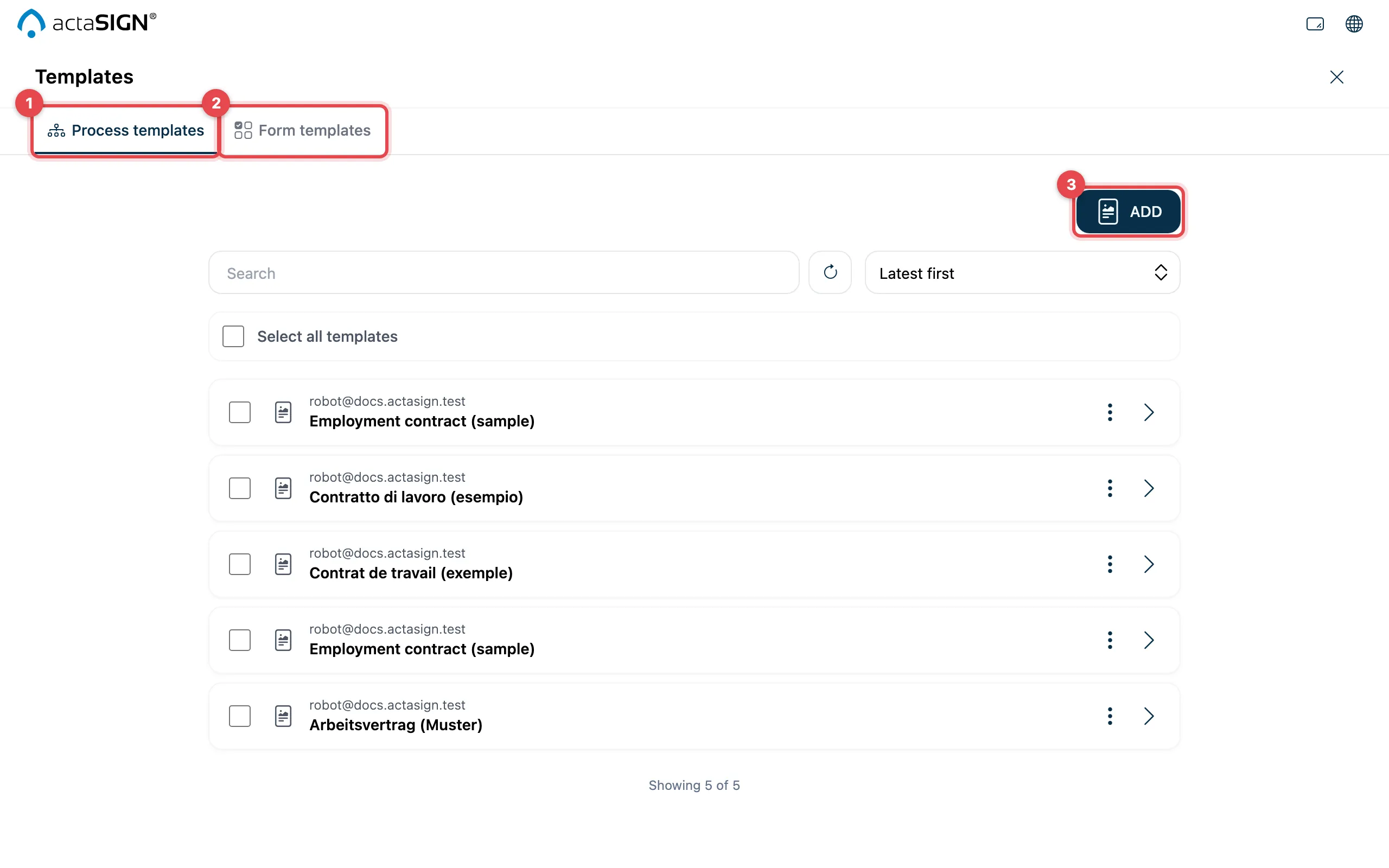
- Process templates: saved processes
- Form templates: saved fields for a particular document
- Add: create a new template
Which template for what?
Section titled “Which template for what?”| Process template | Form template | |
|---|---|---|
| Saves | Subject, message, steps and tasks (who does what) | Steps and roles and the fields on the document |
| Document | you bring it yourself each time | can be stored in the template, or you upload your own |
| Fields | you place them anew each time | are ready, fixed or aligned with a text |
| Good for | the same process with changing documents, e.g. “management approves, then two signatures” | always the same form, e.g. personnel sheet, rental agreement |
| Mass send | no | yes, if your administrators enable it |
In short: if the document changes every time, use a template under Process templates. If it is always the same form, use one under Form templates.
Good to know
Section titled “Good to know”- Templates belong to the organization: all members see and use them.
- Your administrators can limit templates to administrators. Then Templates is missing from the menu, and the tile shows Access restricted.