

Set up API access for other systems
If another system (for example your ERP) should create or query requests in actaSIGN, it needs credentials. You create them here as an application and give them to your integrator.
Create an application
Section titled “Create an application”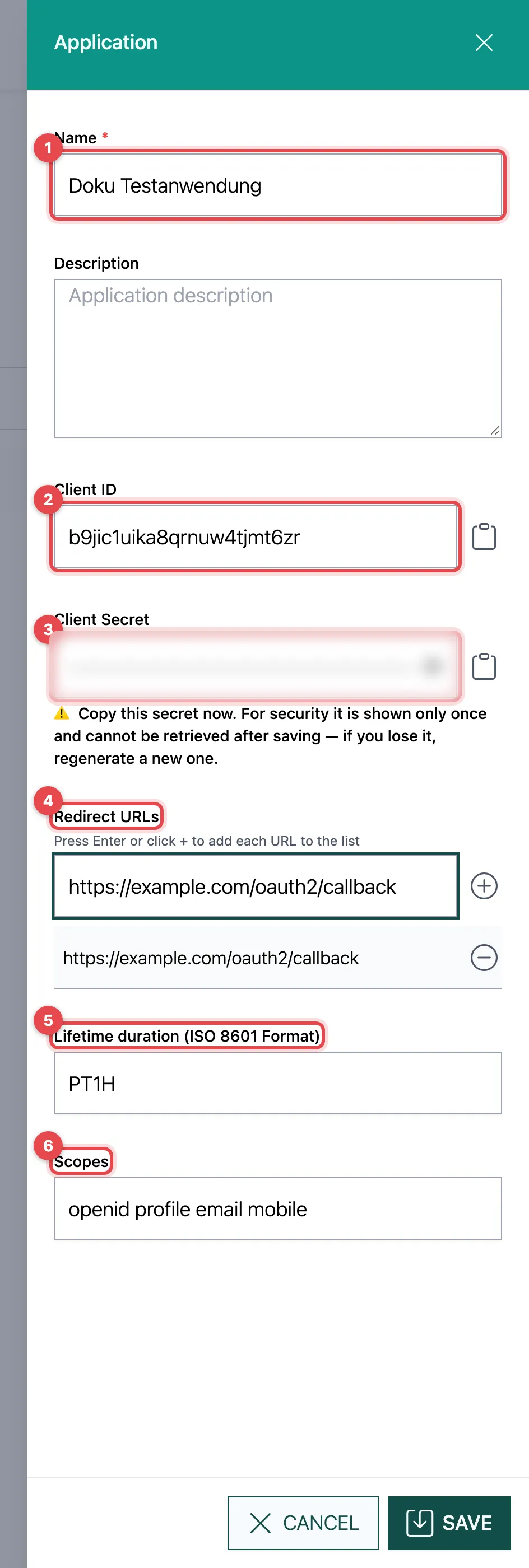
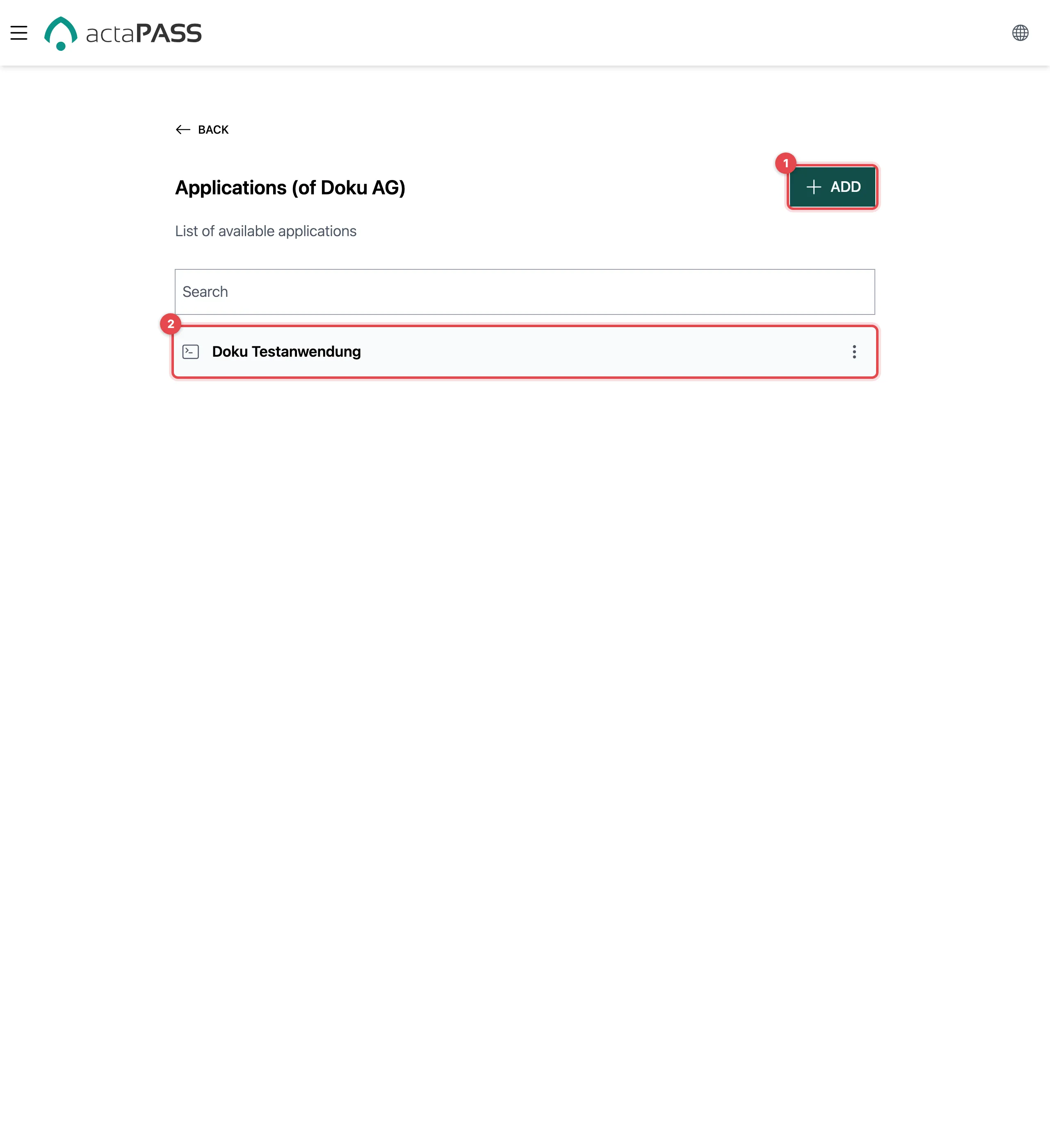
- Click Add and enter a Name, and optionally a Description.
- Client ID: actaPASS creates it itself. Copy it with the icon next to it.
- Client Secret: also created for you. Copy it now: it is shown only once.
- Redirect URLs: addresses actaPASS may send the user back to after sign-in. Add each URL to the list with the Enter key or +.
- Lifetime duration (ISO 8601 Format): how long an access token is
valid, e.g.
PT1Hfor one hour (default). - Scopes: pre-filled with
openid profile email mobile. - Click Save.
Good to know
Section titled “Good to know”- Only pass on the client ID and secret through a secure channel, never by ordinary email.
- ⋮ → Delete removes the application at once; the other system then no longer has access.
- In actaPASS, the list is called “Applications”.