

Lead time of a done request
The lead time shows how long a request took from start to finish, and where it had to wait. This way you see which step holds up a process.
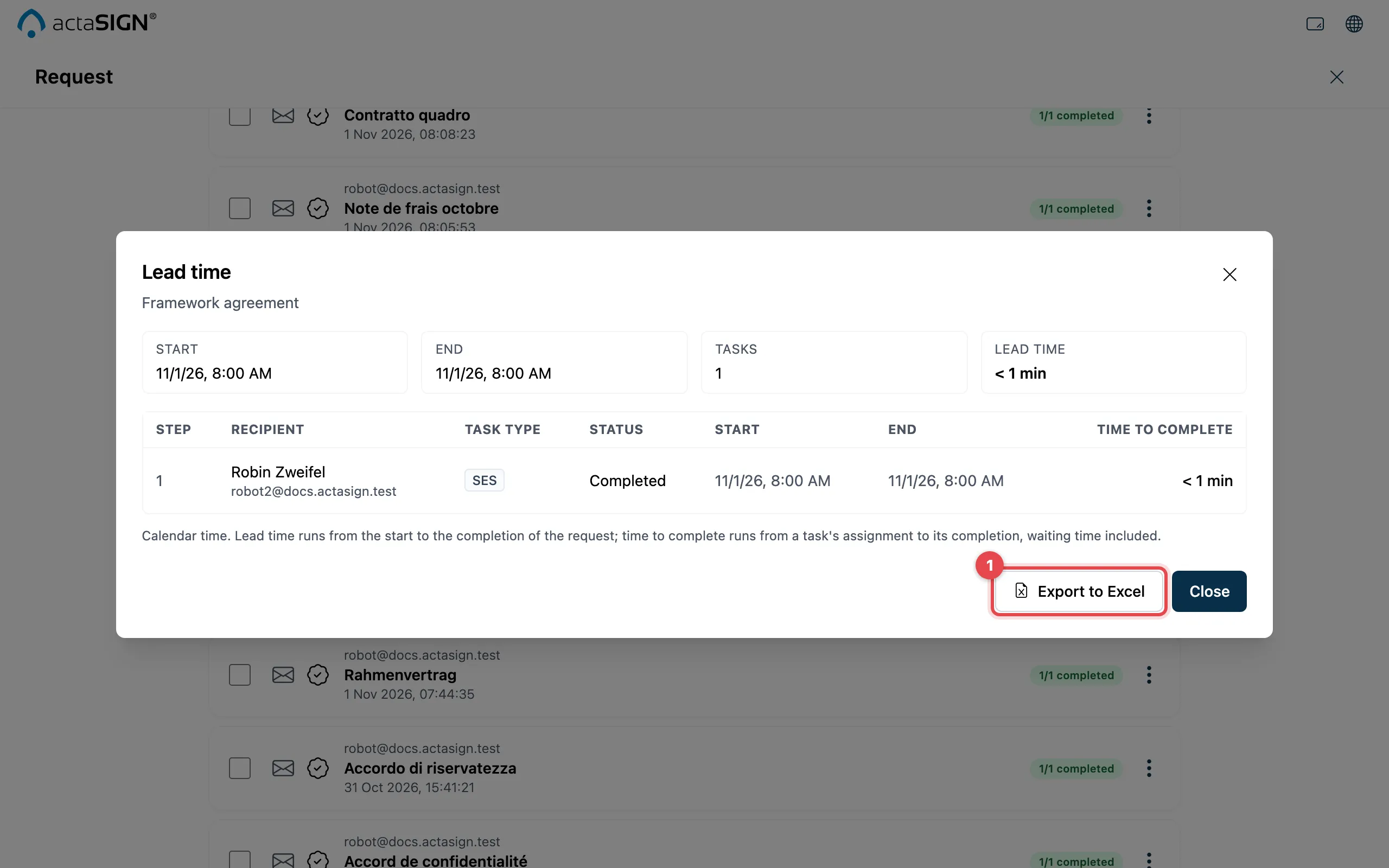
At the top you see Start, End and the total Lead time. The table shows each task with Step, Recipient, Task type, Status, Start, End and Time to complete.
- With Export to Excel you download the table as an Excel file.
With Close you go back to the list.
Good to know
Section titled “Good to know”- Calendar time is counted, so nights and weekends count too. The time to complete runs from when a task is assigned until it is done, waiting time included.
- Information only tasks are done as soon as they are delivered. They do not count towards averages (not averaged).
- The lead time is only available for done requests, and only for the person who sent the request.