

Sign several tasks together
If you have many open tasks of the same kind, for example twenty contracts with a simple signature, sign them all in one go. For the SMS or Mobile ID signature, you confirm only once for all of them.
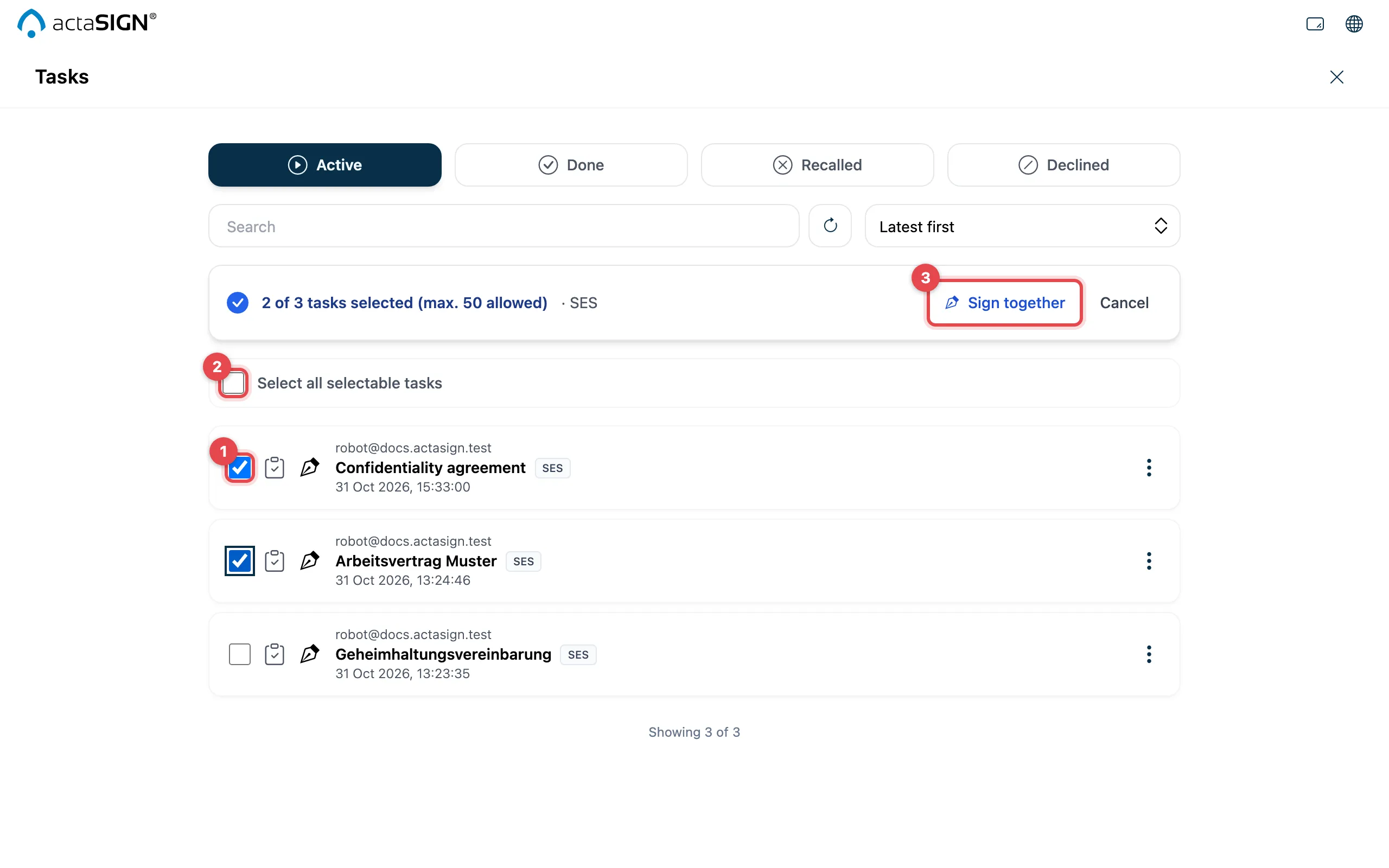
- Open Tasks, choose Active and tick the first task. It decides which other tasks fit with it. Whatever does not fit turns grey.
- Tick more tasks, or all matching ones with Select all selectable tasks.
- Click Sign together.
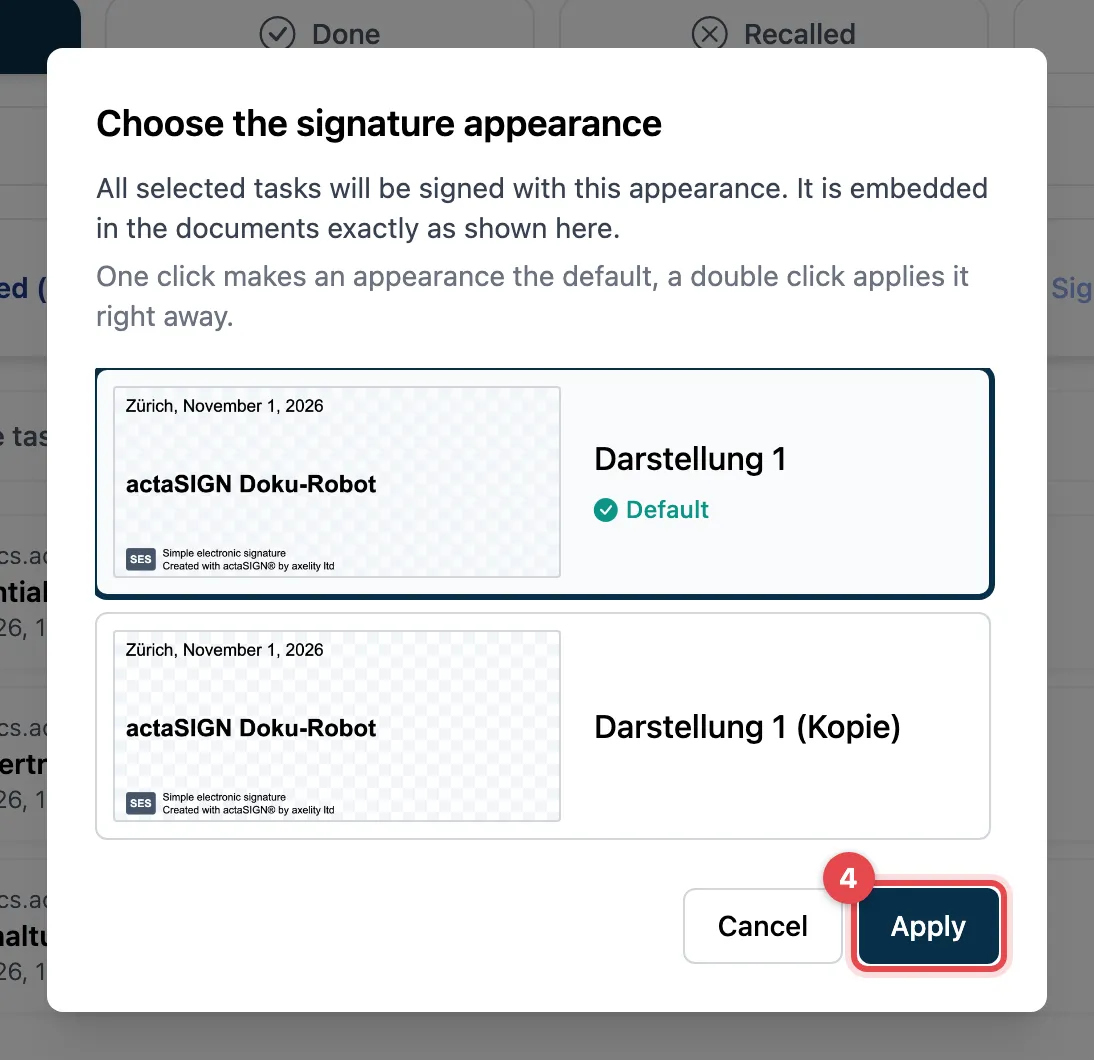
- If you have several signature appearances in your profile, Choose the signature appearance appears. Choose how the signature should look and click Apply. With only one appearance, this step is skipped and actaSIGN starts signing right away.
- Confirm once for all, depending on the signature type: with an SMS code (the message says how many tasks it applies to) or in the Mobile ID App. For the simple signature, this step is skipped.
- During Signing tasks, actaSIGN shows the progress. Under Result you see Signed, Skipped or Failed for each task.
Which tasks fit together
Section titled “Which tasks fit together”You can only sign tasks together
- with the same signature type (e.g. only SES or only AES), and for a seal with the same seal,
- from the same organization,
- for AES with the same mobile number,
- and at most one task per request.
Approvals (Approval) can also be completed together.
Why a task is grey
Section titled “Why a task is grey”Move your mouse over the grey box. The reason is shown there, for example:
- Needs a password, SMS code or strong authentication
- The document must be read
- Fields must be confirmed
- Fields must be filled in
- Optional signatures – open the task on its own
- A task from this request is already selected
- A different signature type than the selection
Open these tasks one by one, see Complete tasks.
Good to know
Section titled “Good to know”- Each round allows at most 50 tasks and 50 documents. Your provider can set other limits; the maximum is shown above the list (max. …).
- Tasks only for information are not included. They are already done.
- If a task has been completed or recalled in the meantime, actaSIGN skips it.
- Clear selection lets you start again.