

Set notifications for senders
Senders get e-mails when something happens with their requests. Here you decide for the whole organization which of these are switched on in advance in the composer. Senders can change it for each request.
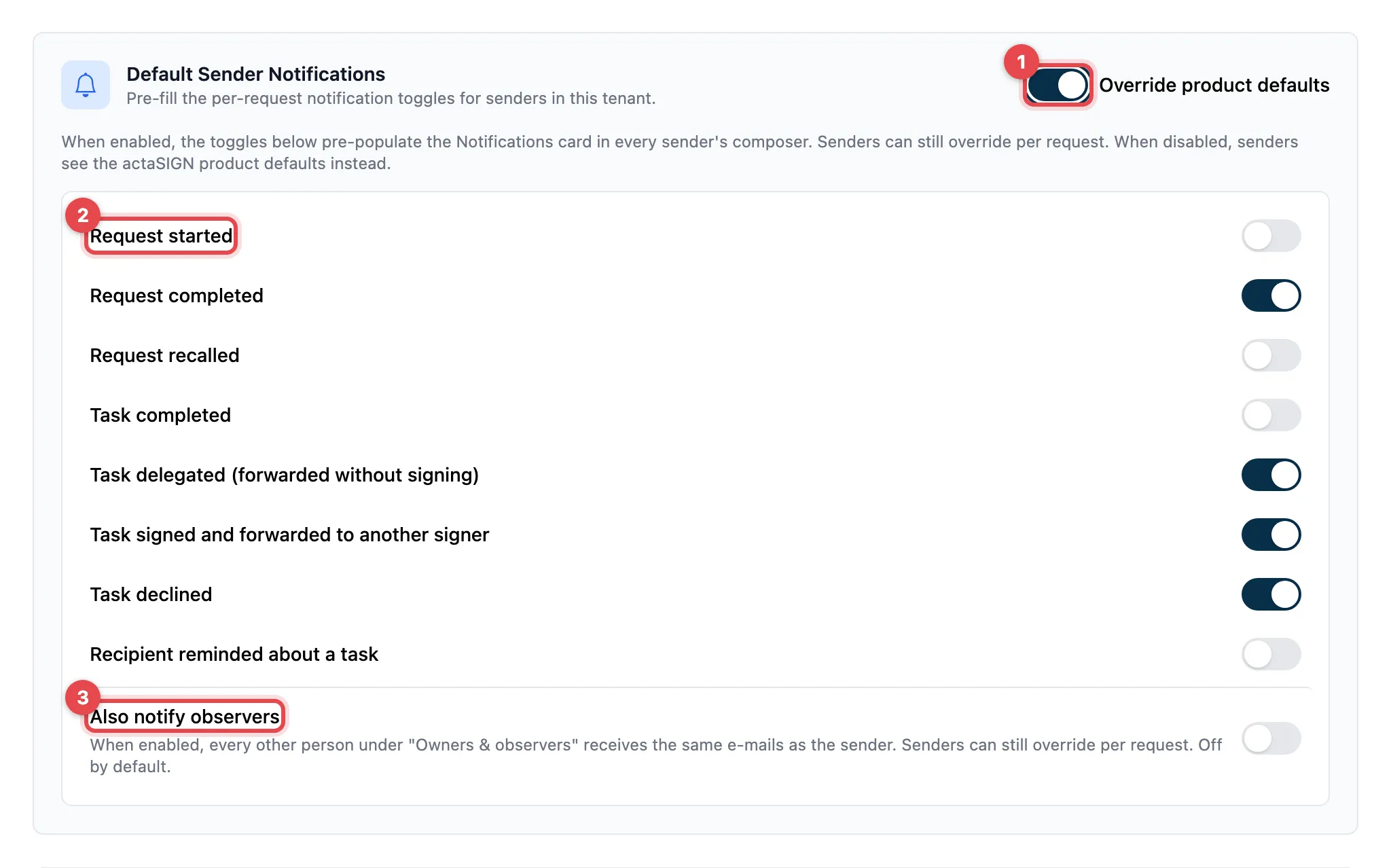
- Switch on Override product defaults. Only then do the switches below it appear.
- For each event, choose whether the e-mail is switched on in advance.
- Optional: Also notify observers.
- Click Save at the bottom of the page.
If Override product defaults is switched off, the actaSIGN defaults apply (“Default” column).
The events
Section titled “The events”| Setting | What it does | Default |
|---|---|---|
| Request started | E-mail as soon as the request has been sent | off |
| Request completed | E-mail when all tasks are done | on |
| Request recalled | E-mail when the request is recalled | off |
| Task completed | E-mail after each completed task | off |
| Task delegated (forwarded without signing) | E-mail when someone passes the task on to another person | on |
| Task signed and forwarded to another signer | E-mail when someone signs and invites another person | on |
| Task declined | E-mail when someone declines | on |
| Recipient reminded about a task | E-mail with each reminder | off |
| Also notify observers | Everyone else under “Owners & observers” gets the same e-mails as the sender | off |
Good to know
Section titled “Good to know”- The default is only the starting value in the composer. Every sender can change it for each request.
- If you switch Override product defaults on again later, you see your last chosen values again.
- You set notifications to recipients (completion, recall, decline) in the task settings.