

Enable templates, mass send, AES CH and Studio
These switches decide which features the members of your organization have: editing templates, mass send, the advanced signature under Swiss law and the new document screen Studio.
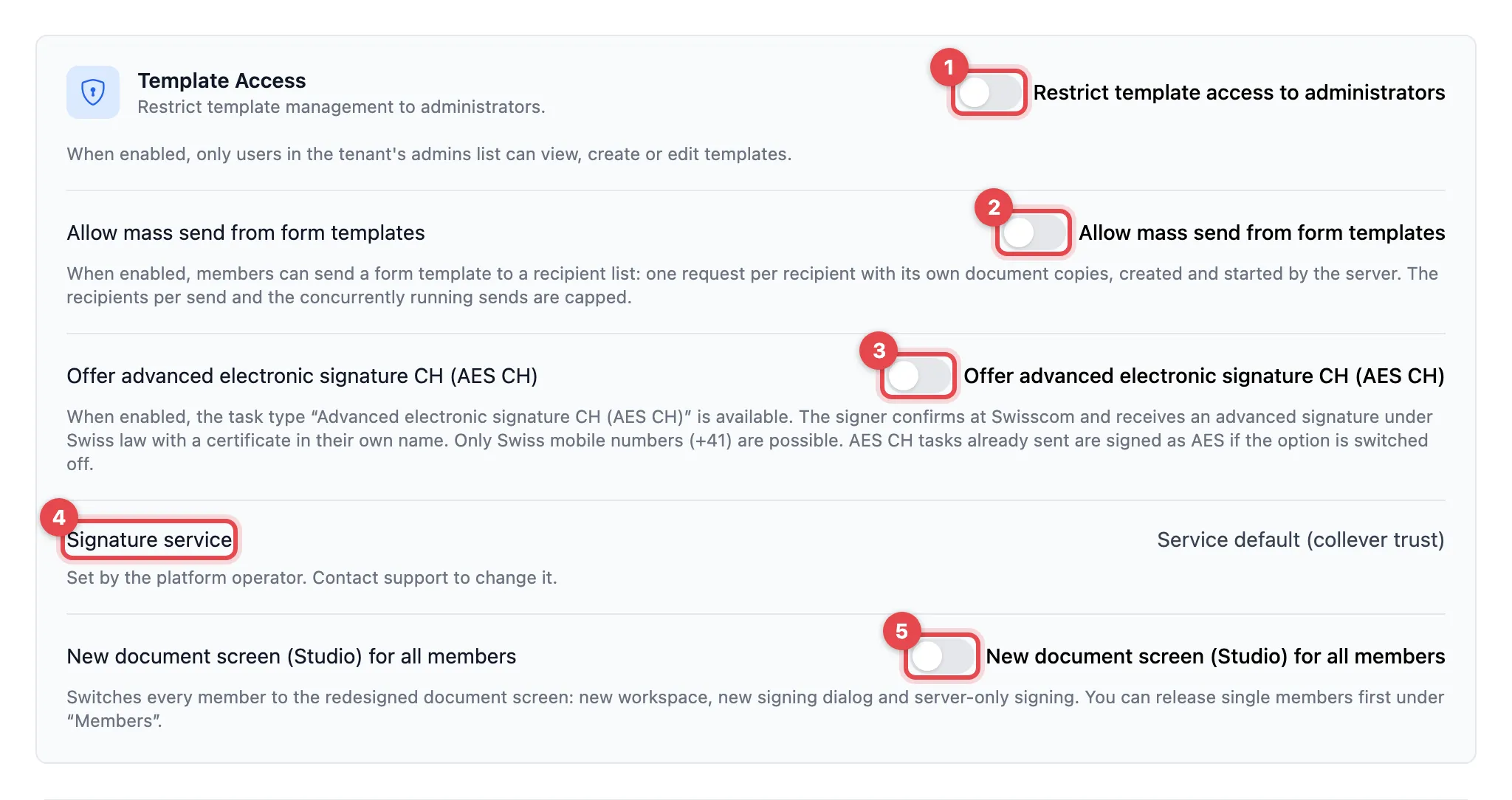
- Restrict template access to administrators
- Allow mass send from form templates
- Offer advanced electronic signature CH (AES CH)
- Signature service (display only)
- New document screen (Studio) for all members
Switch as needed and click Save at the bottom of the page.
The settings
Section titled “The settings”| Setting | What it does | Default |
|---|---|---|
| Restrict template access to administrators | Only administrators of the organization can view, create or edit templates. Everyone else no longer sees the templates. | off |
| Allow mass send from form templates | Members can send a form template to a list of recipients. Each recipient gets their own request with their own copies of the documents. The number per send and the number of sends at the same time are limited. | off |
| Offer advanced electronic signature CH (AES CH) | The AES CH task type is available: the person confirms with Swisscom and gets an advanced signature under Swiss law with a certificate in their name. Swiss mobile numbers (+41) only. | off |
| Signature service | Shows which system creates your organization’s signatures. You cannot change it. | set by the operator |
| New document screen (Studio) for all members | Switches all members to Studio: new workspace, new signing dialog, signing on the server only. | off |
AES CH: “Not effective right now”
Section titled “AES CH: “Not effective right now””If the notice Not effective right now: this tenant does not sign through collever trust. appears below the switch, AES CH is switched on but does not take effect yet. AES CH needs the collever trust signature service. The operator sets this; contact support.
If you switch AES CH off again, AES CH tasks already sent are signed as ordinary AES.
Studio first for individual people
Section titled “Studio first for individual people”You do not have to switch Studio on for everyone at once. Under Members you release it for individual people (Release Studio), see Manage members. If the switch here is on, Studio applies to everyone, and the release per person disappears.
Good to know
Section titled “Good to know”- Signature service shows Set by the platform operator. Contact support to change it. Signatures already in progress are completed on the system they started on.
- What Studio looks like for senders and signers: Studio.