

Set up your own mail server or Beekeeper as a channel
actaSIGN normally sends notifications through its own e-mail service. With your own channel, messages come from your mail server, through Exchange Online or as a Beekeeper chat.
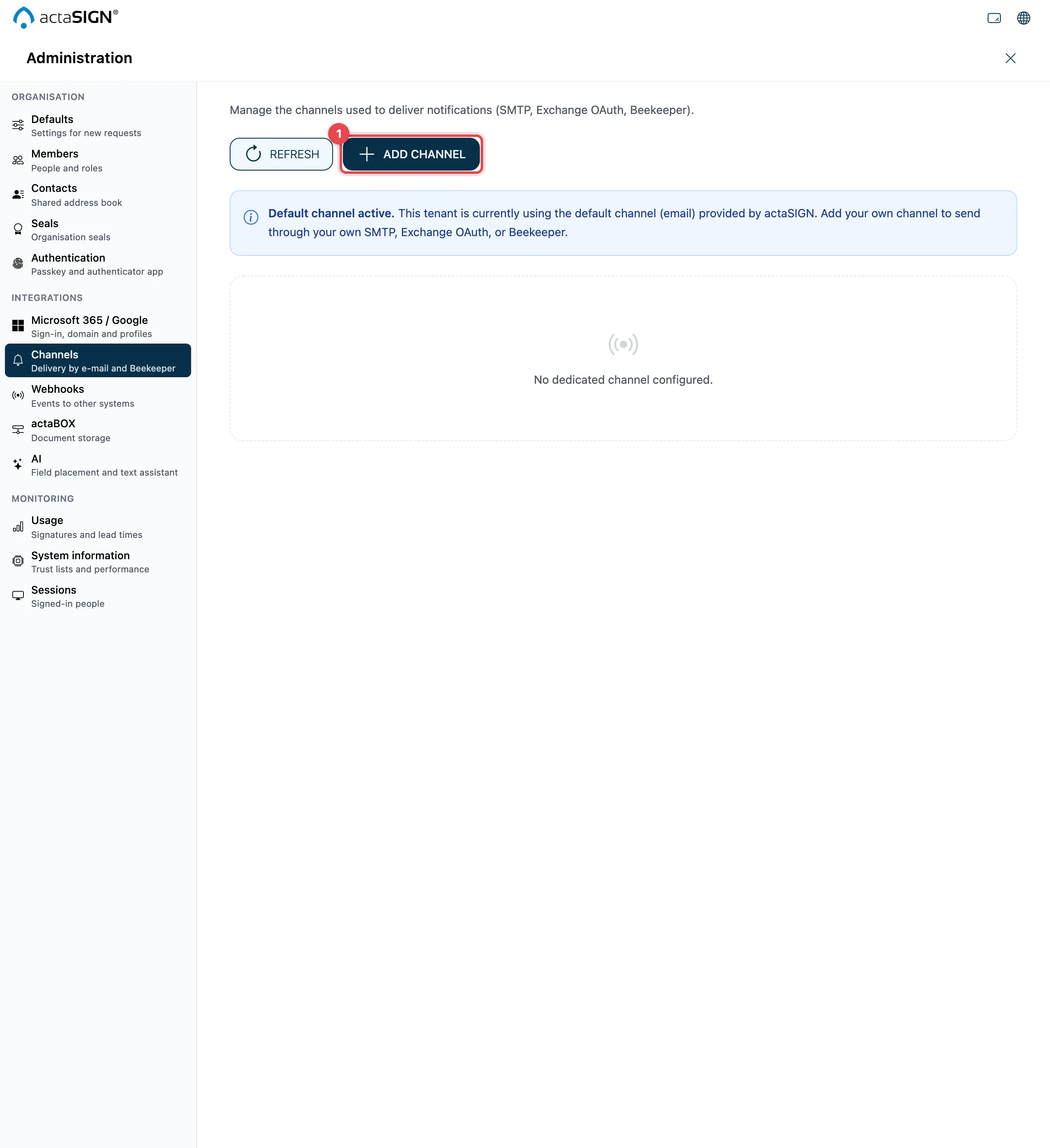
As long as Default channel active. is shown, no channel of your own is set as the default. actaSIGN then sends through the mail server in actaPASS if one is set up for the organization, otherwise through its own e-mail service.
Add a channel
Section titled “Add a channel”- Click Add channel.
- Choose the Channel type and fill in the fields (see below).
- Fill in Display name. With Mark as default channel for this tenant, actaSIGN uses it right away.
- Click Save.
- Check the channel in the list with Test (connection) and Send test message (to an address of your choice).
SMTP (username/password)
Section titled “SMTP (username/password)”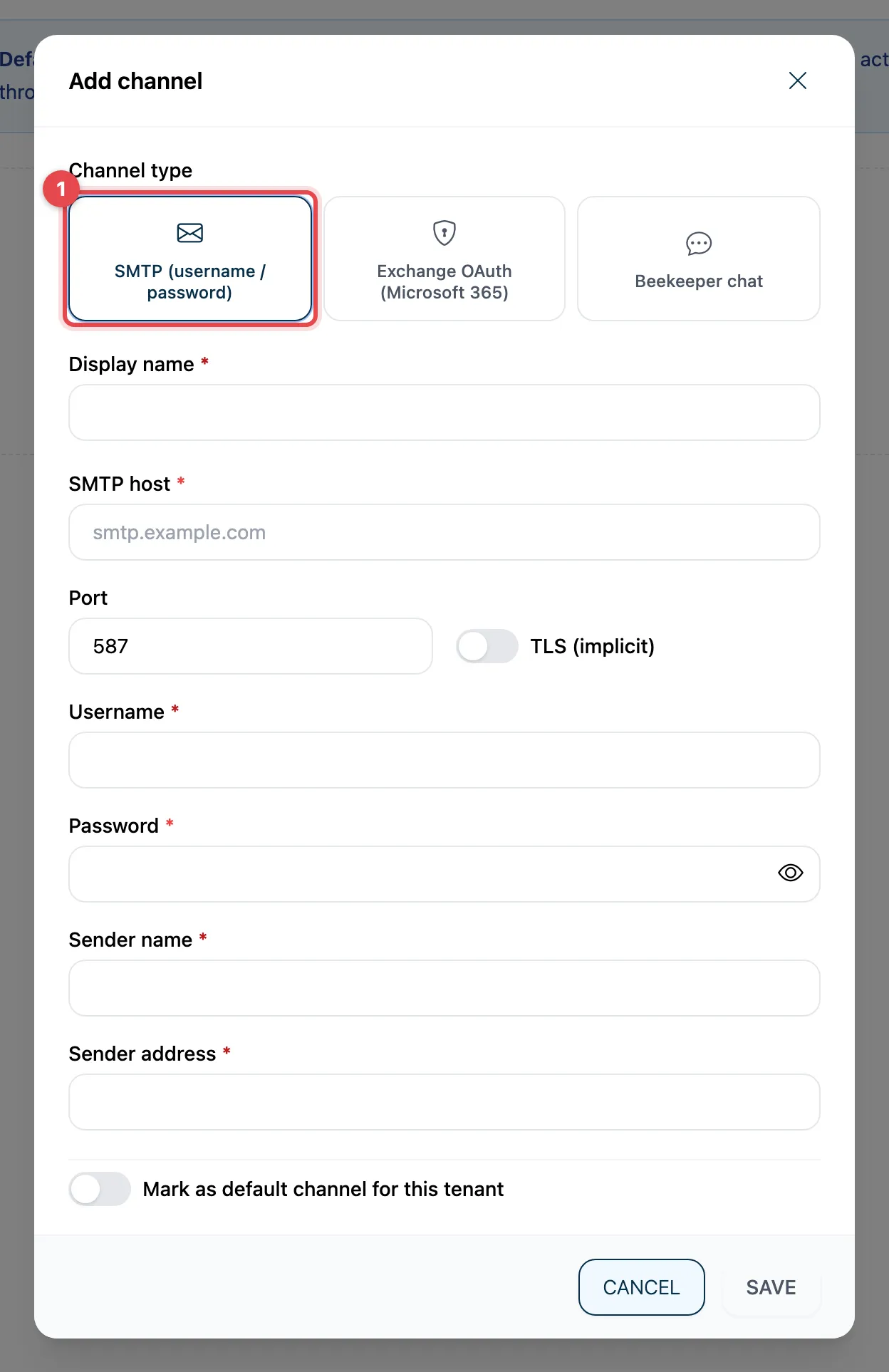
SMTP host, Port, TLS (implicit), Username, Password, Sender name and Sender address.
Exchange OAuth (Microsoft 365)
Section titled “Exchange OAuth (Microsoft 365)”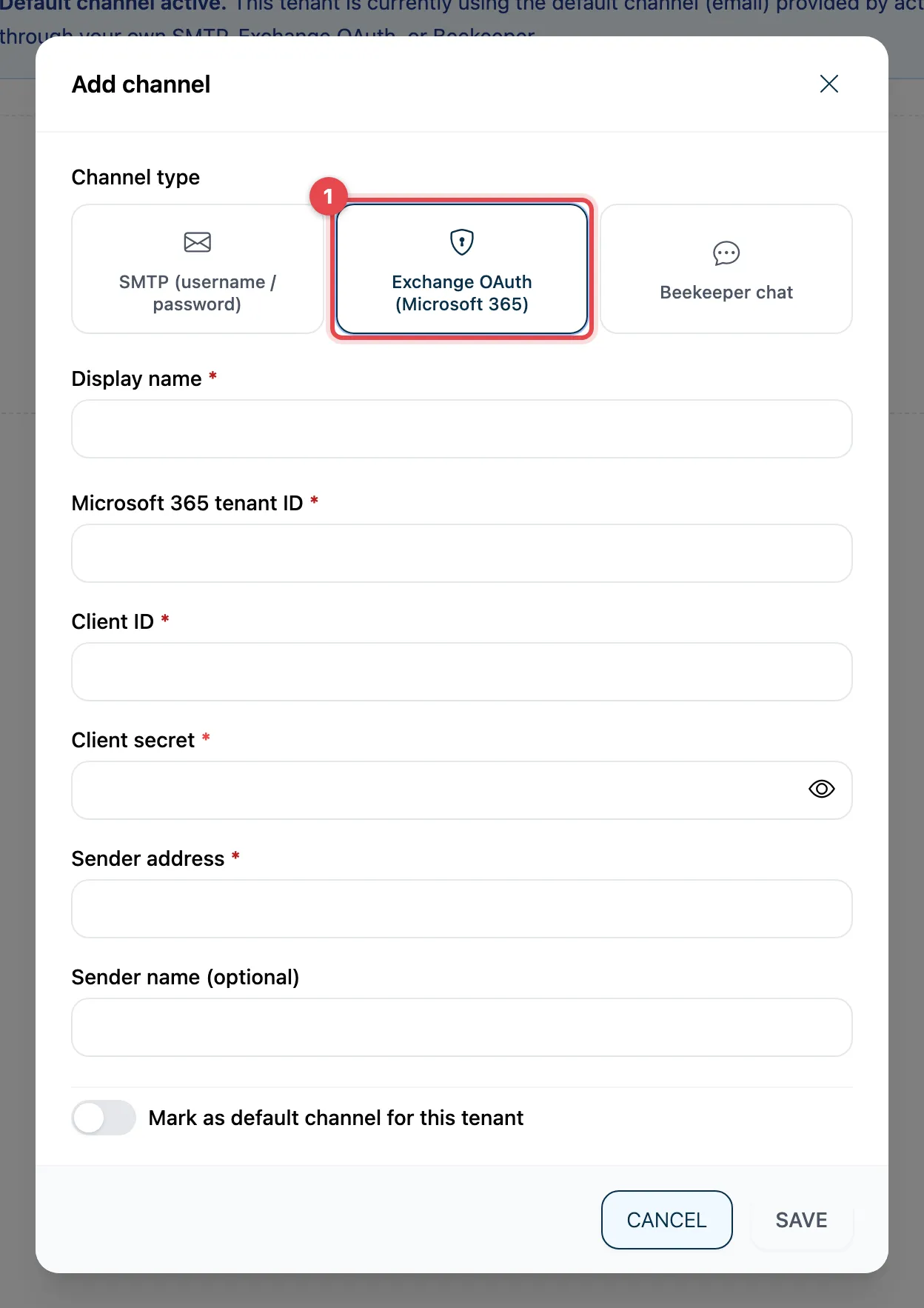
Microsoft 365 tenant ID, Client ID, Client secret, Sender address and Sender name (optional).
Beekeeper chat
Section titled “Beekeeper chat”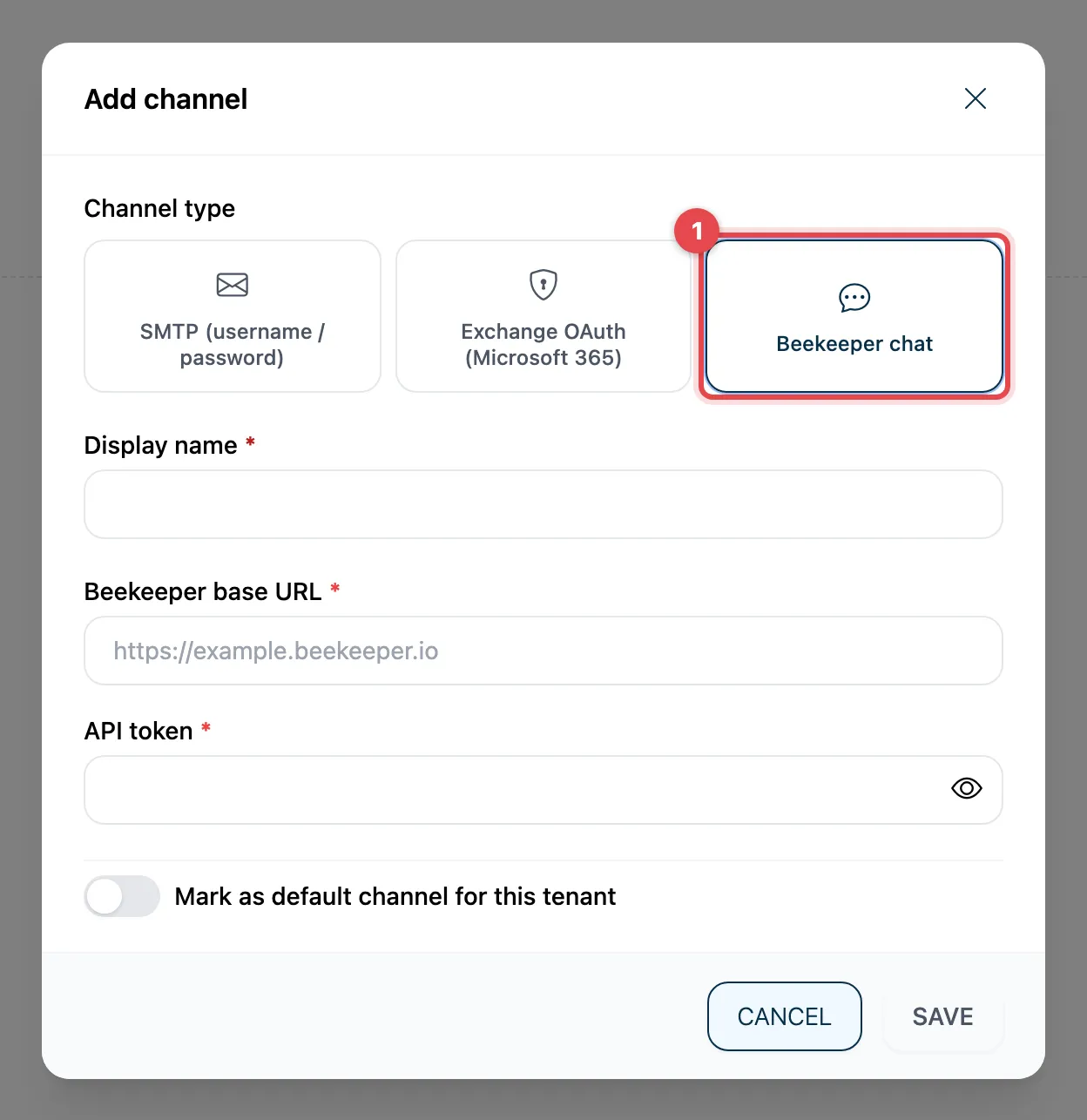
Beekeeper base URL and API token. For Beekeeper to reach a person, their contact needs a Beekeeper ID (Manage contacts).
Good to know
Section titled “Good to know”- You cannot change the Channel type after creating the channel.
- When editing, leave the credentials empty to keep them. If you want to change them, fill in all fields.
- Set as default switches the default channel; Use system default removes the default channel (see above). Your channels are kept.