

Track requests
Under Requests you see everything you have sent or prepared. Here you check who has already signed, remind recipients who are late, or download the result.
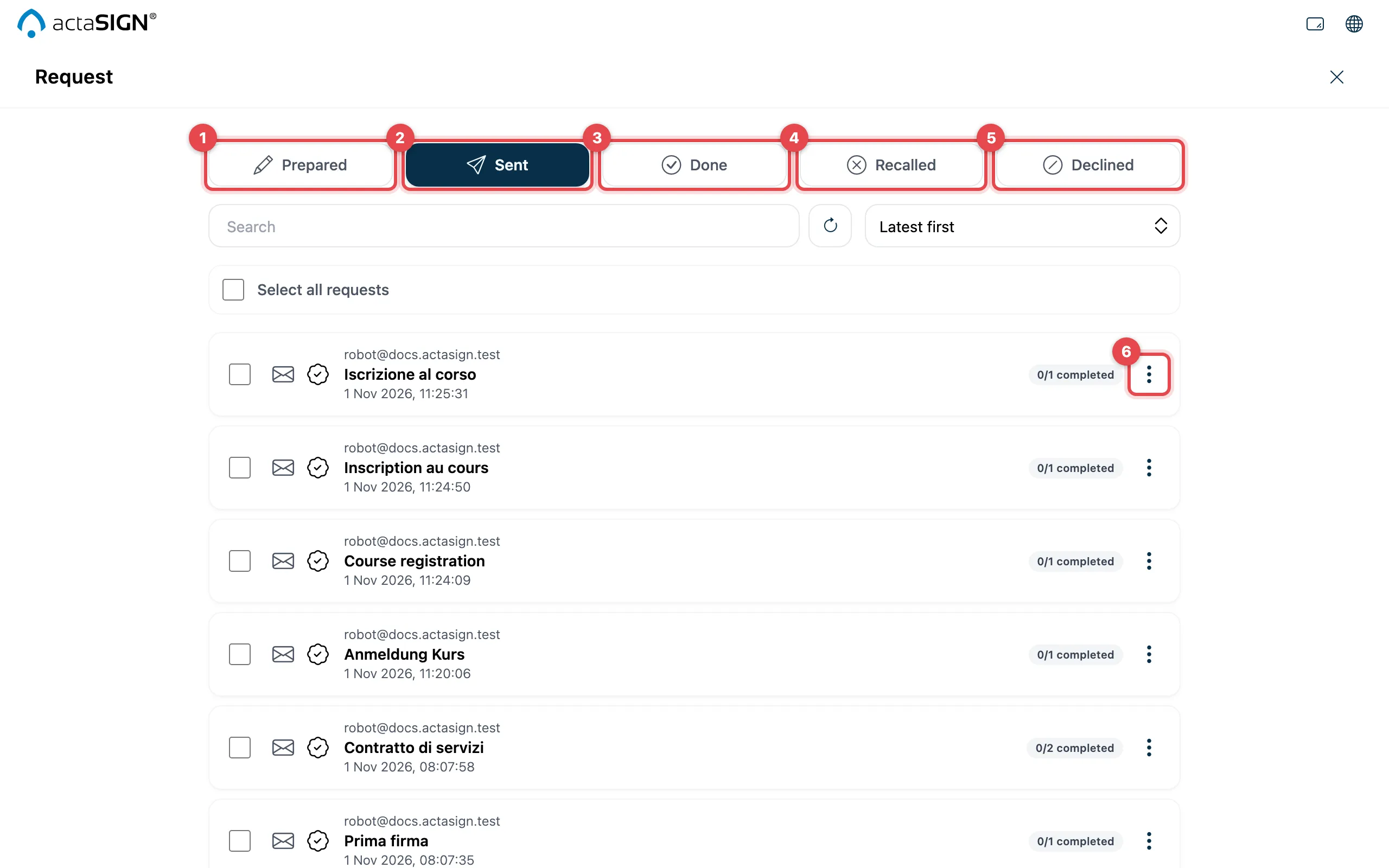
- Prepared: drafts that have not been sent yet.
- Sent: requests that are running now.
- Done: everyone has finished their task.
- Recalled: you or an owner has withdrawn the request.
- Declined: a person has declined.
- More actions: the menu of a request (see below).
Each row shows the subject, the date and how many tasks are already done. Above the list you search by subject (Search) and sort, for example with Latest first or Subject ascending.
Actions for a request
Section titled “Actions for a request”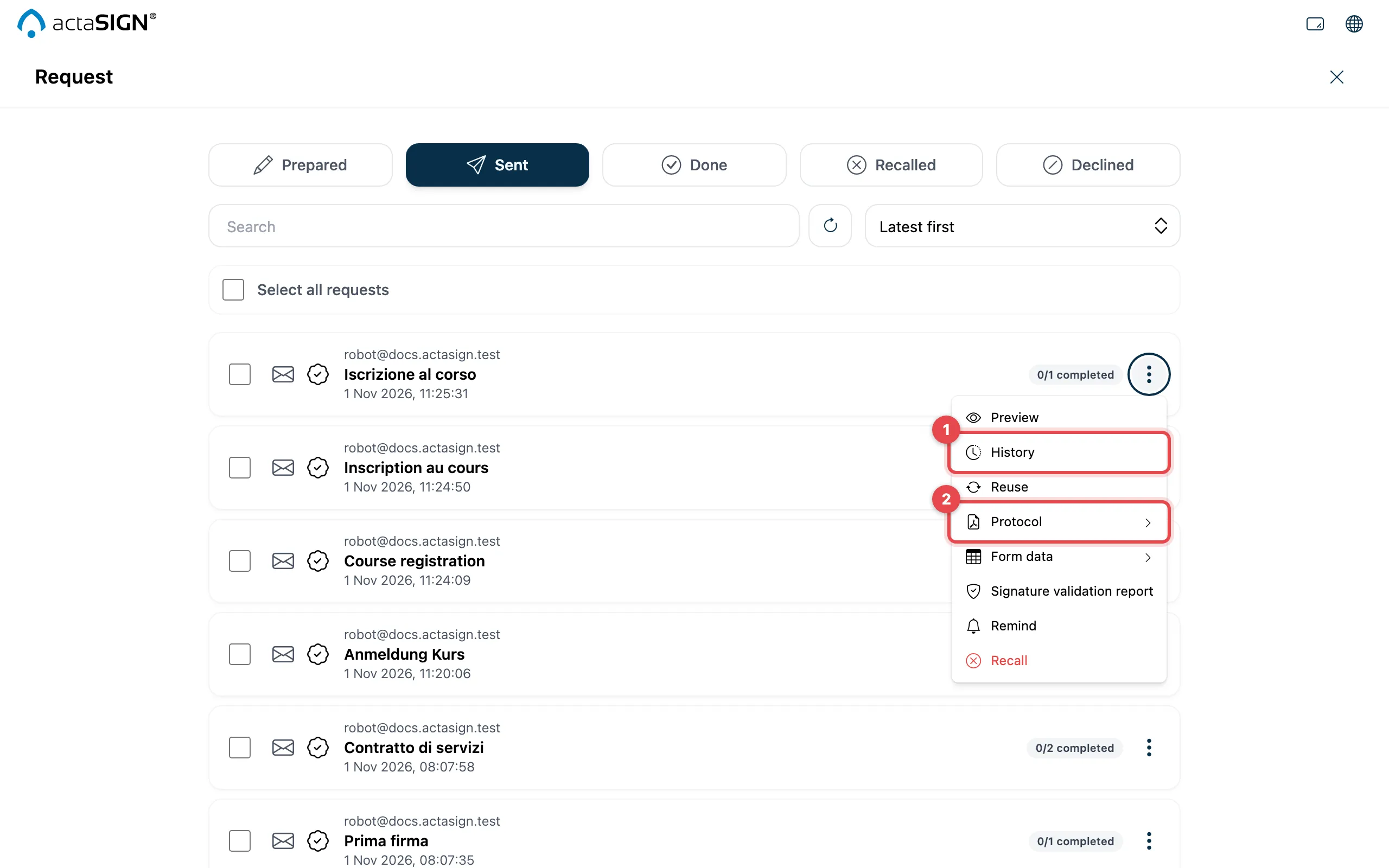
Which entries you see depends on the status:
| Action | When | |
|---|---|---|
| Preview | except for drafts | View the documents |
| History (1) | except for drafts | History of a request |
| Reuse | except for drafts | Reuse a request |
| Protocol (2), Form data | except for drafts | Protocol and form data |
| Lead time | Done | Lead time |
| Signature validation report | except for drafts, if switched on | Signature validation report |
| Edit, Perform, Delete | Prepared | Drafts |
| Remind, Recall | Sent | Remind or recall |
| Download | Done | Download the signed documents |
| Clean up | Done, Recalled, Declined | Clean up requests |
Several requests at once
Section titled “Several requests at once”Tick the rows on the left. A bar appears at the top with the actions that are possible in the selected tab:
| Tab | Actions |
|---|---|
| Prepared | Delete |
| Sent | Send reminder, Cancel (recalls the requests) |
| Done, Recalled, Declined | Clean up |
With Cancel selection you clear the selection.
Good to know
Section titled “Good to know”- You see the requests you have sent, and those where you are listed under Owners & Observers.
- What others have sent to you is not here, but under Tasks.
- The documents themselves are also kept in a portfolio.